What you see
Screen tour
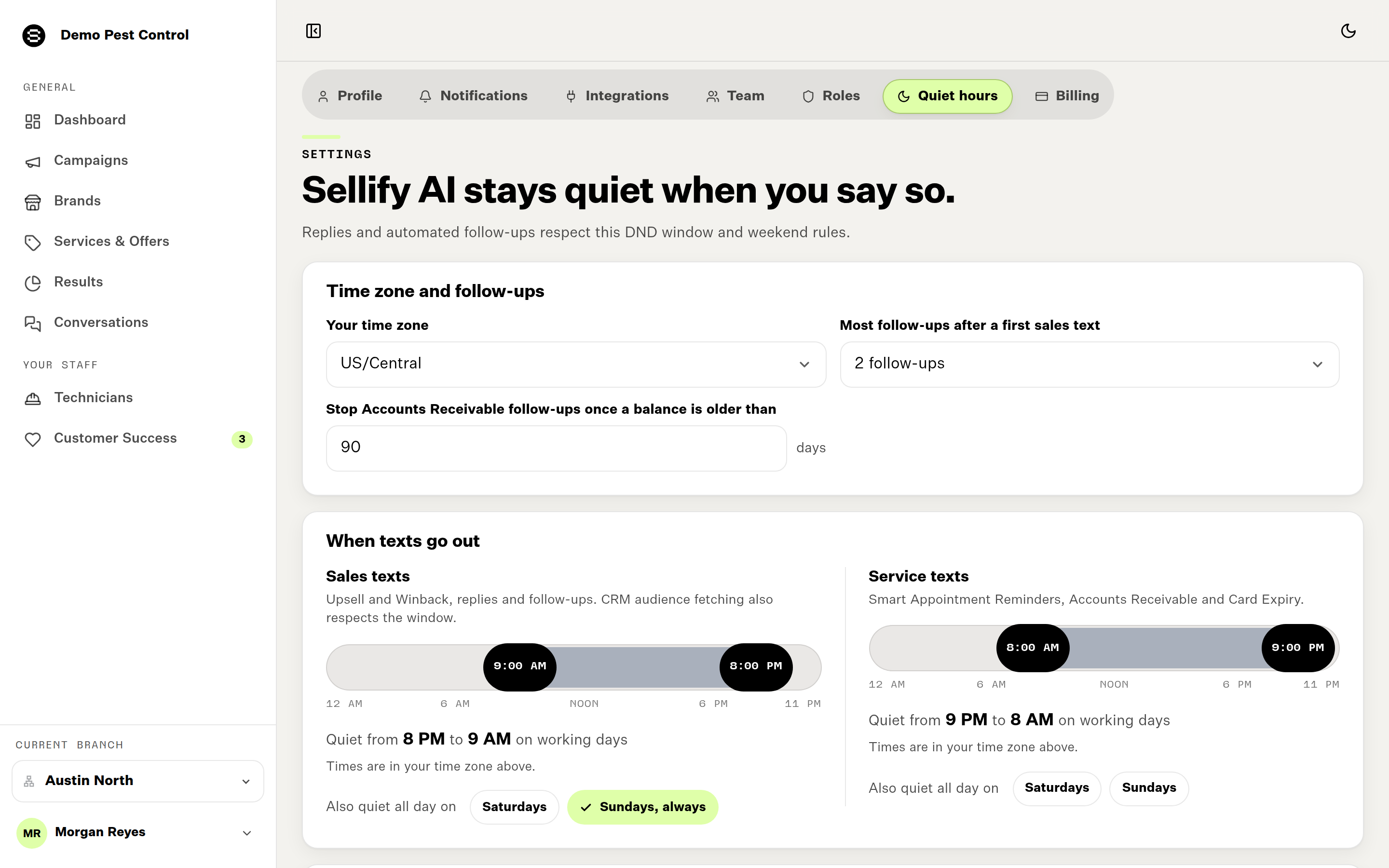
- 1Service texts, including Smart Appointment Reminders, go out inside these hours.
- 2Also quiet all day on Saturdays or Sundays.
- In the reminder campaign setup, Start reaching out is set in business days before the visit.
- The When reminders go out calendar shows the days reminders are sent, which visits each one reminds, and your days off. You see it while you create the campaign and again in the campaign's details.
- The Change days off in Settings link takes you to Settings > Quiet hours, where you tick the holidays and closed days under Days off.
Why it matters
A reminder works best when someone at the office can answer the reply. Counting business days keeps reminders and reschedules on days your team is working, and the calendar removes the guesswork about when a customer will hear from you.
Read more on Smart Reminders and Quiet hours, days off and follow-up limits. For the office side, see appointment reminders customers answer.
Part of the Office and customer service hub.
Already a client? Ask your account manager.
Sources
- Sellify AI product documentation