What it does
You keep sales texts out of the hours you would not call a customer yourself, skip reminders on your holidays and closed days, and cap how often a customer is followed up after a first sales text. It does not set your texting policy: the windows are controls you choose, and your own counsel advises on the rules.
What your office sees
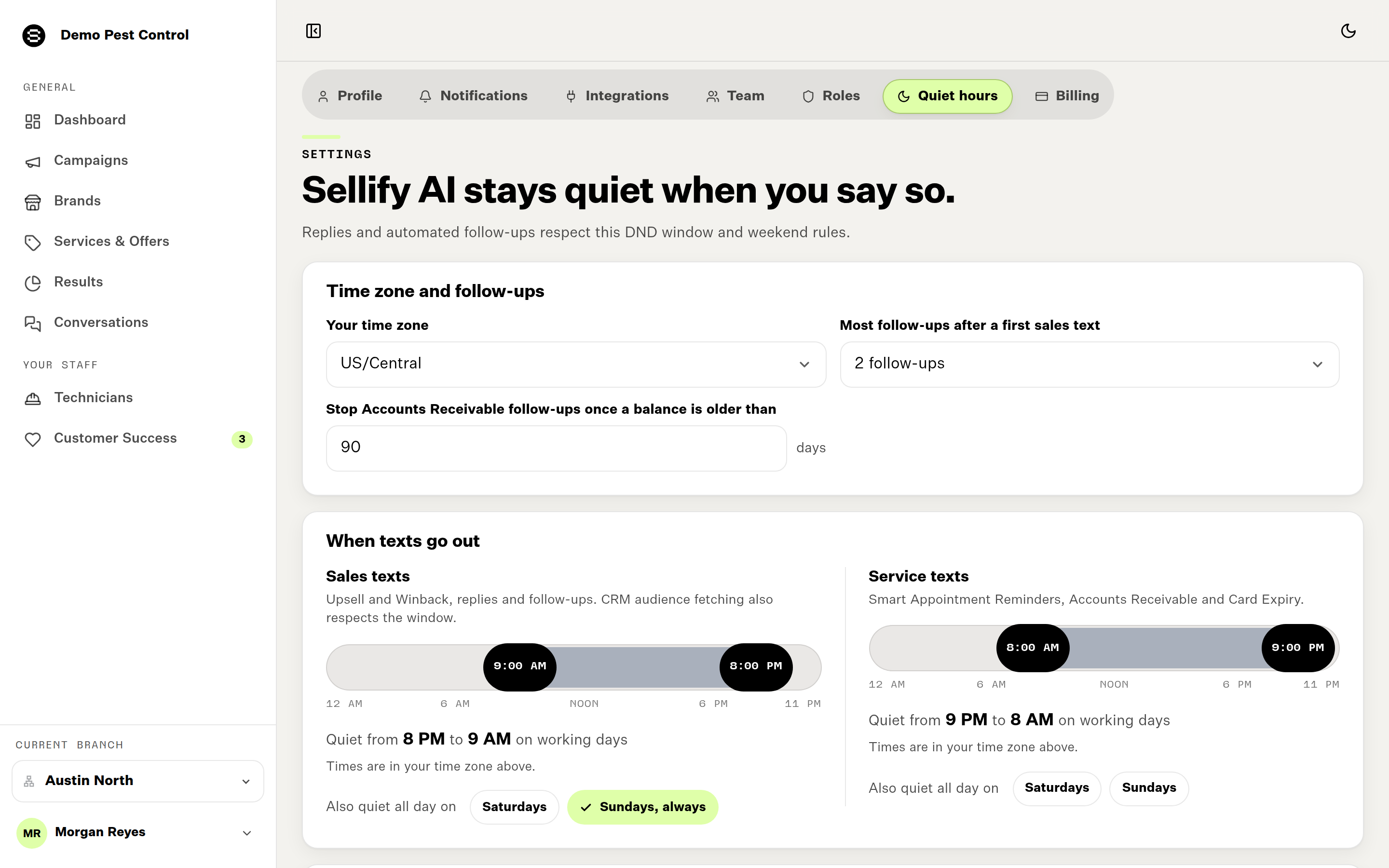
- 1Time zone and follow-ups: your time zone and your follow-up limits.
- 2When texts go out, Sales texts: Upsell and Winback, replies and follow-ups.
- 3When texts go out, Service texts: Smart Appointment Reminders, Accounts Receivable and Card Expiry.
Further down the same page: When calls reach your office, for when calls can be redirected to a person, and Days off, where you tick holidays and add your own closed days.
What you control
Your time zone, the hours and weekend days for sales texts and for service texts, the hours calls can reach a person in your office, the holidays and closed days to skip, and limits on how long sales and collection conversations keep following up.
What good looks like
Aim for customers to hear from you only at hours you would call them yourself, never on a day you are closed, and not more often than you would follow up by hand. Texts at the wrong time cost replies and invite opt-outs.
Numbers to watch:
- Opt-outs per month on Customers and opt-outs, and whether they rise after a change to your hours.
- Reply rates on reminders and sales texts in Results.
- Urgent items waiting in Customer Success Tasks the morning after a holiday.
What the customer sees
Texts during the hours you chose, and no reminder on a day you are closed.
What stays with your team
Your policy. The settings are controls you choose. They are not a compliance guarantee, and your own counsel should advise you on the texting rules for your area.
Related
- Smart Appointment Reminders
- Notifications
- Customers and opt-outs
- Guide: Pest control appointment reminders customers answer
- Update: Reminders count business days and skip days off
- Back to Owners and the pillar guide AI for pest control companies
Questions
Can sales texts and service texts have different hours?
Do reminders go out on holidays?
Can I limit how many times a customer is followed up?
What is When calls reach your office for?
Do quiet hours make my texting compliant?
Sellify AI does this texting and call answering for pest control companies. See how it works, or book a walkthrough. Already a client? Ask your account manager.
Sources
- Sellify AI product documentation