Almost every customer can get a text: 98% of US adults own a cellphone and 91% own a smartphone (Pew Research Center, 2026). The hard part is not reaching people. It is answering them, and giving each answer an owner.
Example: a day in the life of an office manager at Demo Pest Control
Example data. Demo Pest Control, invented people and times.
- 7:45
Open the queue
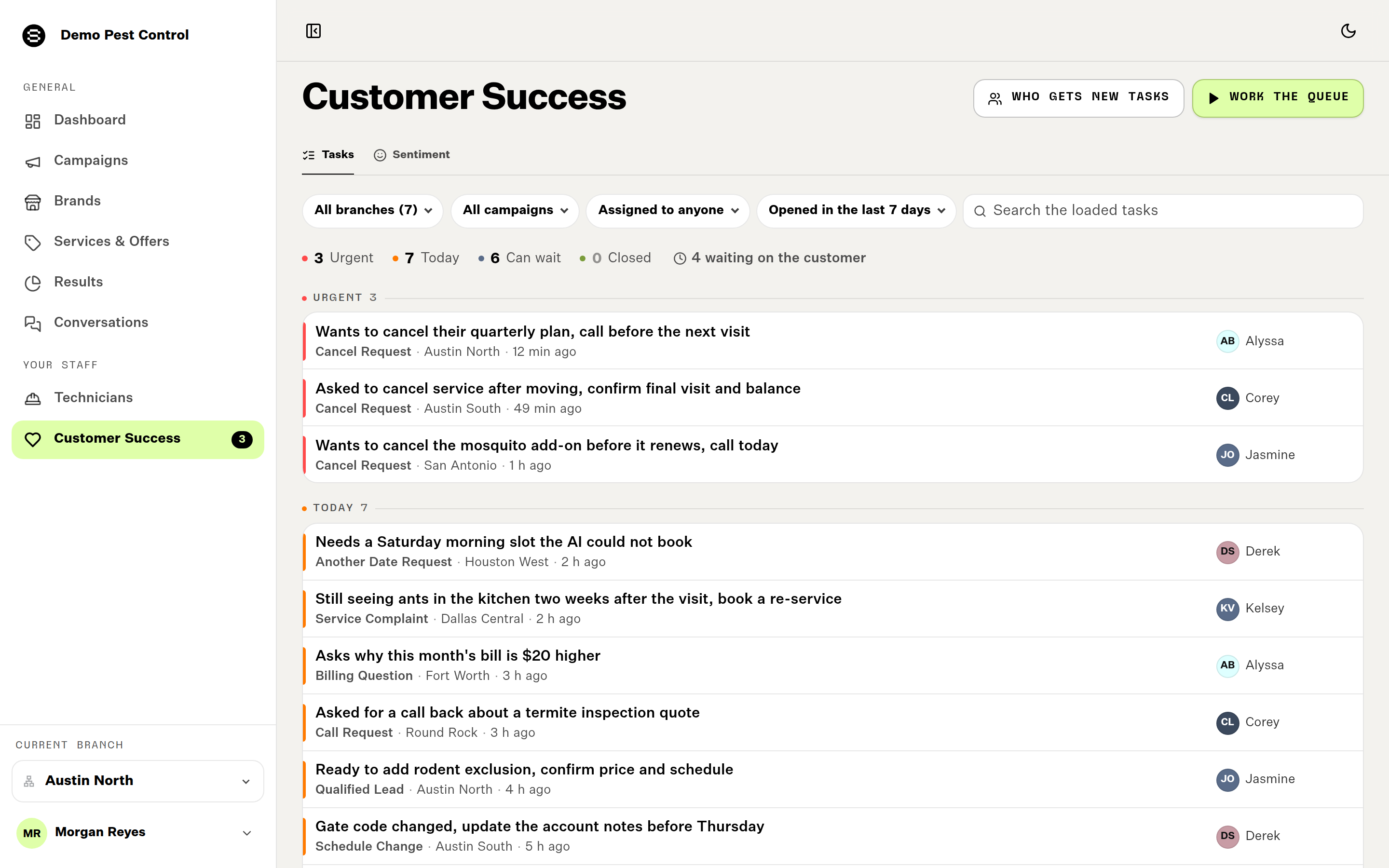
OfficeTwo urgent items, five for today and four that can wait. The urgent ones are customers who want to cancel.
- 8:00
Call the cancel requests first
OfficeEach item says what the customer wrote and what to do. Both calls happen before the first truck leaves.
- 9:30
A reminder reply comes in
CustomerA customer moves Thursday's visit by text and says the side gate is locked. The note goes on the technician's stop.
- 11:00
A new caller wants a quote
CustomerA homeowner calls about ants. The office checks the address, quotes on the call and books the first visit for Friday.
- 14:00
Follow up open quotes
OfficeThree quotes from last week have no answer. One text each, with the price and two open days.
- 16:30
Clear what can wait
OfficeCall backs promised during the day get done. One customer had no working number, so the office fixes the record.
Guides for the office
- Pest control appointment reminders customers answer: what a reminder must do, and the numbers that show it works.
- Pest control office handoffs: run them as one queue: one list, three urgency levels, an owner per item.
- Pest control leads: from first call to first visit: answer, quote on the first contact, follow up the open quote.
- Pest control follow-up after treatment: catch problems early
- Pest control cancellation: what to do in the next hour
- Expired cards and failed autopay
- Start with the pillar: How to keep recurring pest control customers
If you use Sellify
These are the screens an office opens each week.
Customer Success Tasks
The handoffs that need a person, sorted Urgent, Today and Can wait.
Conversations
The texts and calls Sellify AI had with your customers, with search, notes and Who replies.
Smart Reminders
A two-way text before scheduled visits. If a text does not go through, it tries the customer's next phone number.
Follow-up after the visit
A check-in text the day after service, a setting in reminder campaigns.
Customers and opt-outs
Your customer list and opt-out list. You can upload opt-outs and unblock a number.
Technicians: Team and Today
Routes by branch and technician, and problems on routes.
Recent updates
Texts reach the customer's next phone number
Since 18 November, if a text does not go through, Sellify tries the customer's next number on the record in your CRM. If none works, your office gets a task.
Tasks: a Closed count and the Qualified Lead task
Customer Success > Tasks now has a Closed view next to Urgent, Today and Can wait, a Closed count in work mode, and a new task kind called Qualified Lead.
Unblock a number from Opt-outs
Sellify blocks spam senders automatically. A blocked number now shows on the Opt-outs list with an Unblock button, so your office can undo a block in one click.
Customer Success: Tasks and Sentiment
Handoffs from Sellify AI now go to one office queue, marked Urgent, Today or Can wait and assigned per branch. Sentiment shows how your customers feel.
Conversations: search by full name and see who opened it
Conversations in Sellify now finds customers by full name, links each conversation to its task, and shows who on your team opened it, with profile photos.
Reminders count business days and skip days off
Sellify's appointment reminders now count business days, skip weekends and the holidays you tick, and show a calendar of when reminders go out in each campaign.
Sources
- Pew Research Center: Mobile fact sheet
- Sellify AI product documentation