What it does
Your customers get a text before each scheduled visit in the reminder campaigns you run, and can confirm, move the visit or leave a note for the technician in the same thread. Gate and pet notes are written to your CRM, so they reach the stop. Complaints are caught early and handed to your office. When a reschedule stalls, it goes to your office staff.
What the customer sees
A text from your company before the visit. They can reply to confirm or to reschedule, and then it is a real conversation: they can ask a question, pick a new time, or say the dog will be in the yard. If they want something the text thread cannot do, a person on your team follows up.
What your office sees
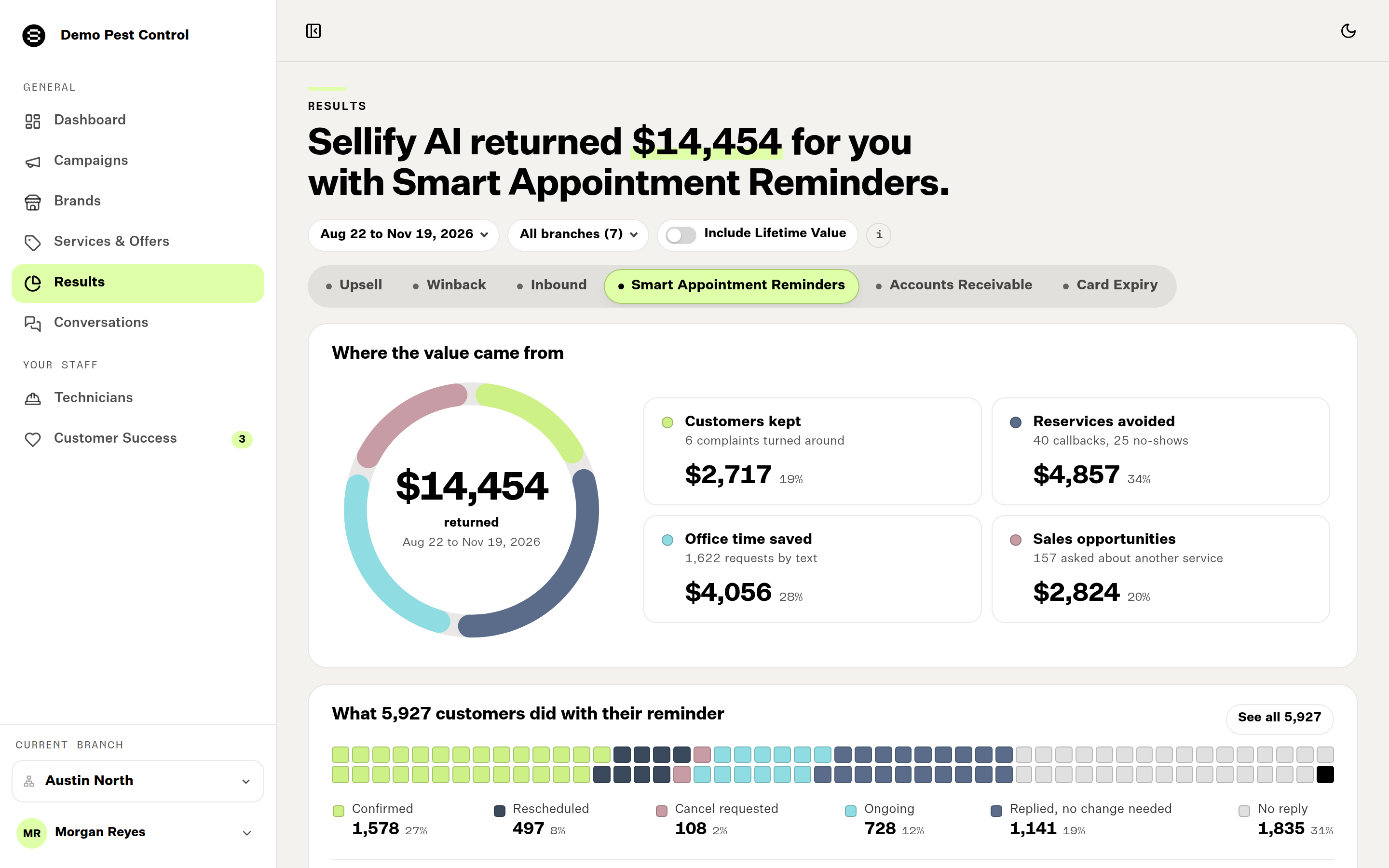
- 1Filter by date and branch.
- 2The Smart Appointment Reminders tab.
- 3Where the value came from: Customers kept, Reservices avoided, Office time saved and Sales opportunities.
- 4What 5,927 customers did with their reminder: Confirmed, Rescheduled, Cancel requested, Ongoing, Replied no change needed, No reply.
On the Smart Appointment Reminders tab, outcomes include Confirmed, Rescheduled and Cancel requested. Handoffs, such as a reschedule Sellify AI cannot make, go to Customer Success > Tasks. The Dashboard also shows the value of Smart Appointment Reminders next to your other use cases.
The path of one visit
Example: one quarterly visit at Demo Pest Control
Example data. Invented customer.
- Before the visit
The reminder goes out
Sellify AIThe reminder goes out within the hours you set, and skips the days off you marked.
- Same day
The customer answers
CustomerShe confirms and adds that the side gate is locked and the dog is out back.
- Same day
Notes go to your CRM
Sellify AIThe gate and pet notes are written to your CRM for the technician.
- Visit day
The tech arrives prepared
TechnicianThe notes are on the stop.
- Day after
Follow up after the visit
Sellify AIWhere the setting is on, a short check-in follows the visit.
- If needed
A person steps in
OfficeA complaint or a reschedule that stalls becomes a task in Customer Success.
What you control
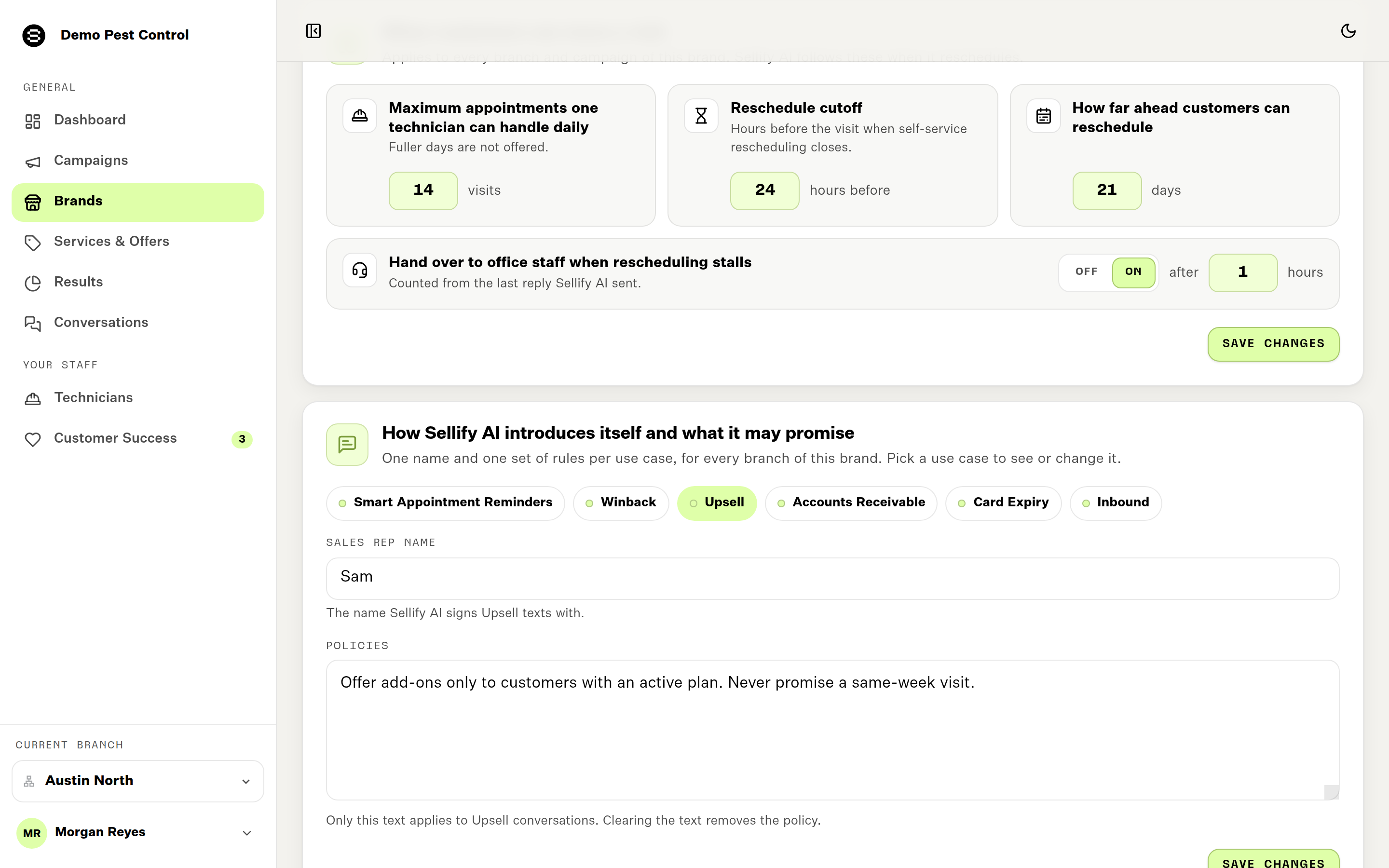
When reminders start before a visit and whether a follow-up goes out after it, set in the reminder campaign; the limits for moving a visit and when a stalled reschedule goes to your office, set per brand; and the hours service texts go out and your days off, set in Quiet hours.
What stays with your team
Reschedules that cannot be made by text, complaints, cancel requests and anything else that needs judgment. Sellify AI reaches the customer and handles the routine replies. Your team owns the rest, and can read or take over any conversation in Conversations.
Related
- Guide: Pest control appointment reminders customers answer
- Follow-up after the visit
- Quiet hours, days off and follow-up limits
- Customer Success Tasks
- Texts reach the customer's next phone number
- Update: Reminders count business days and skip days off
- Back to Office and customer service and the pillar guide AI for pest control companies
Questions
Can customers reschedule by text?
Does the technician see the customer's notes?
Will reminders go out on holidays?
What happens when a reschedule cannot be made by text?
Is the follow-up after the visit part of this?
Sellify AI does this texting and call answering for pest control companies. See how it works, or book a walkthrough. Already a client? Ask your account manager.
Sources
- Sellify AI product documentation