What you see
Screen tour
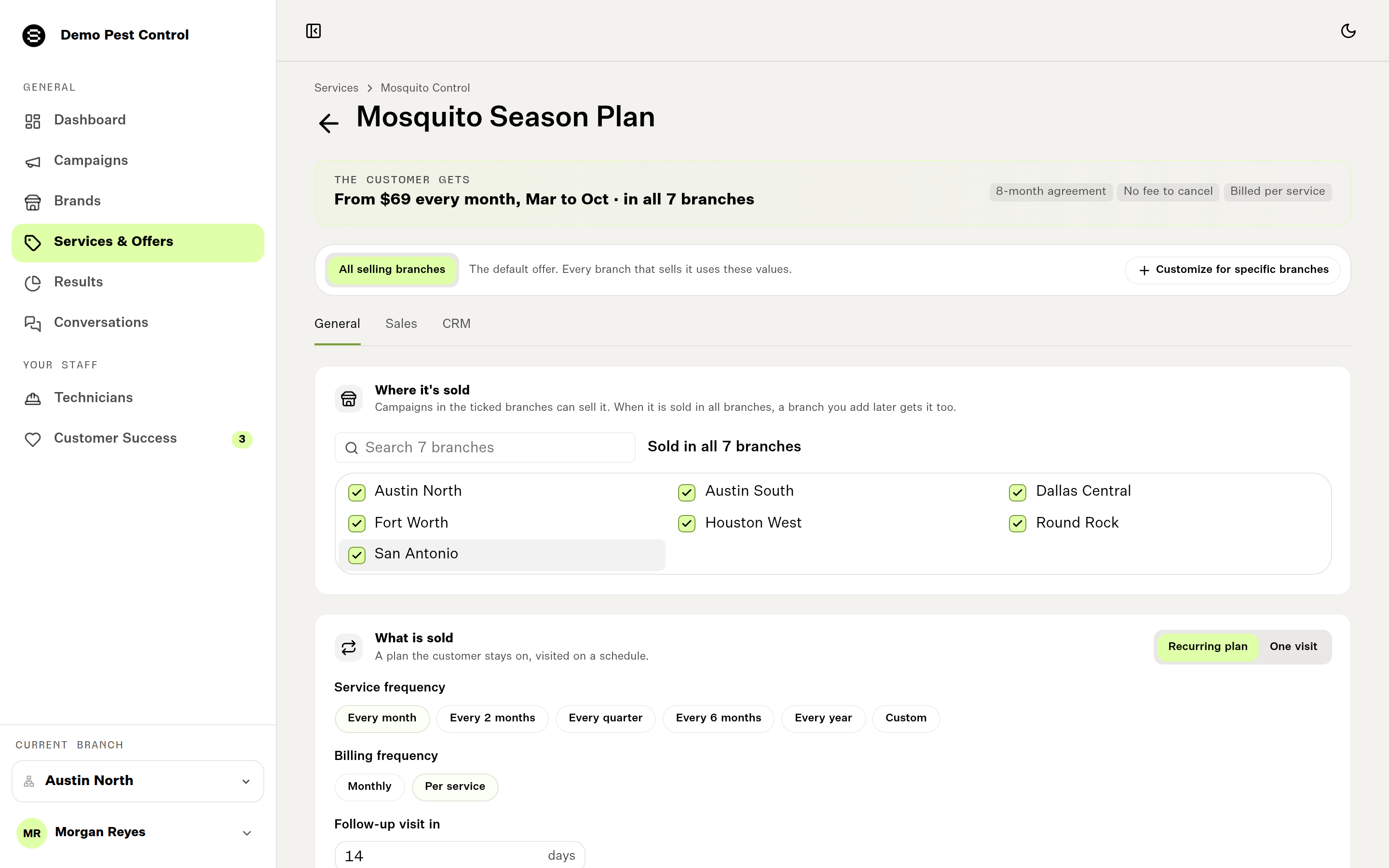
- 1The offer summary: from $69 every month, Mar to Oct, in all 7 branches.
- 2Customize for specific branches, next to All selling branches.
- 3Where it's sold: all 7 branches ticked.
Open an offer to change it. Each offer has three tabs:
- General: What is sold (Recurring plan or One visit), When it runs (Year-round or Seasonal), Contract terms and Visit cadence, from every month to every year.
- Sales: Discount for everyone, Room to negotiate and Extra rules, set separately for Winback, Upsell and Inbound conversations.
- CRM: the closing flow and contract form in your CRM.
Each service's own page shows a Sales this month tile.
Why it matters
Branches do not always charge the same, and not every branch sells every service. With per-branch settings, Sellify AI offers each customer what their own branch sells, at that branch's price.
Read more on Services & Offers, Upsells and Cross Sells and Contracts and closing in the thread. For setting the price itself, see how much to charge for pest control.
Part of the Sales and revenue hub.
Already a client? Ask your account manager.
Sources
- Sellify AI product documentation