What it does
You write one price list, and Sellify AI quotes from it. Each offer says what is sold, when it runs, what it costs, the contract terms and the visit cadence. If one branch prices mosquito differently, or does not sell it at all, you set that on the offer instead of building a second one. It does not decide your prices: working out the right price stays with you.
Where things are
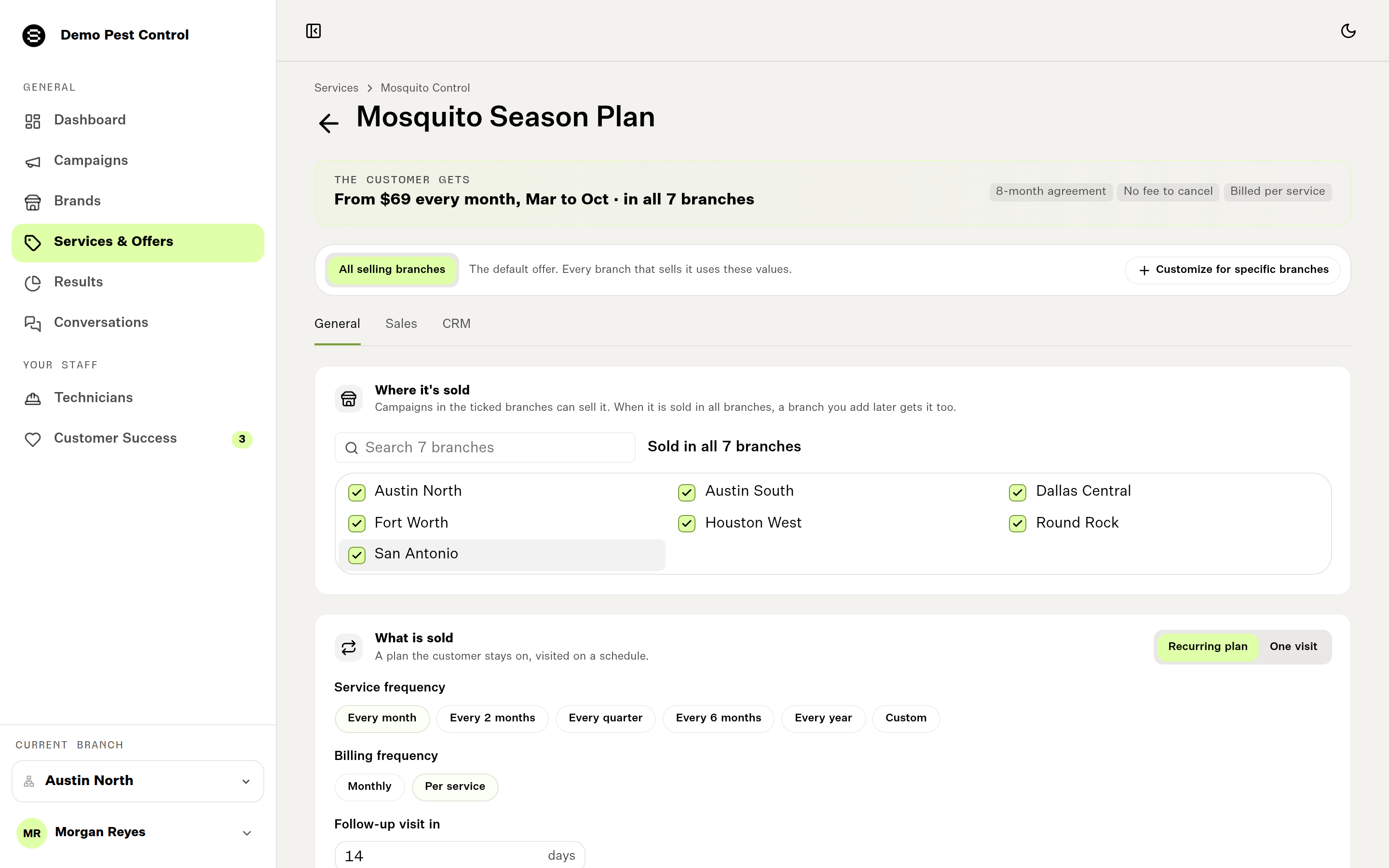
- 1The offer summary: from $69 every month, Mar to Oct, in all 7 branches.
- 2Customize for specific branches, next to All selling branches.
- 3Where it's sold: all 7 branches ticked.
- 4What is sold: Recurring plan or One visit, with service and billing frequency.
- General tab. What is sold, when it runs, contract terms and visit cadence.
- Sales tab. The discounts you allow for each kind of conversation, and what the offer costs.
- CRM tab. How the sale is closed in your CRM. See Contracts and closing in the thread.
Open an offer from its service's page to see these three tabs.
What the customer sees
Only the result: the offer in their conversation, at the price you set, with the contract and cadence you chose. They never see your discount settings.
What your office sees
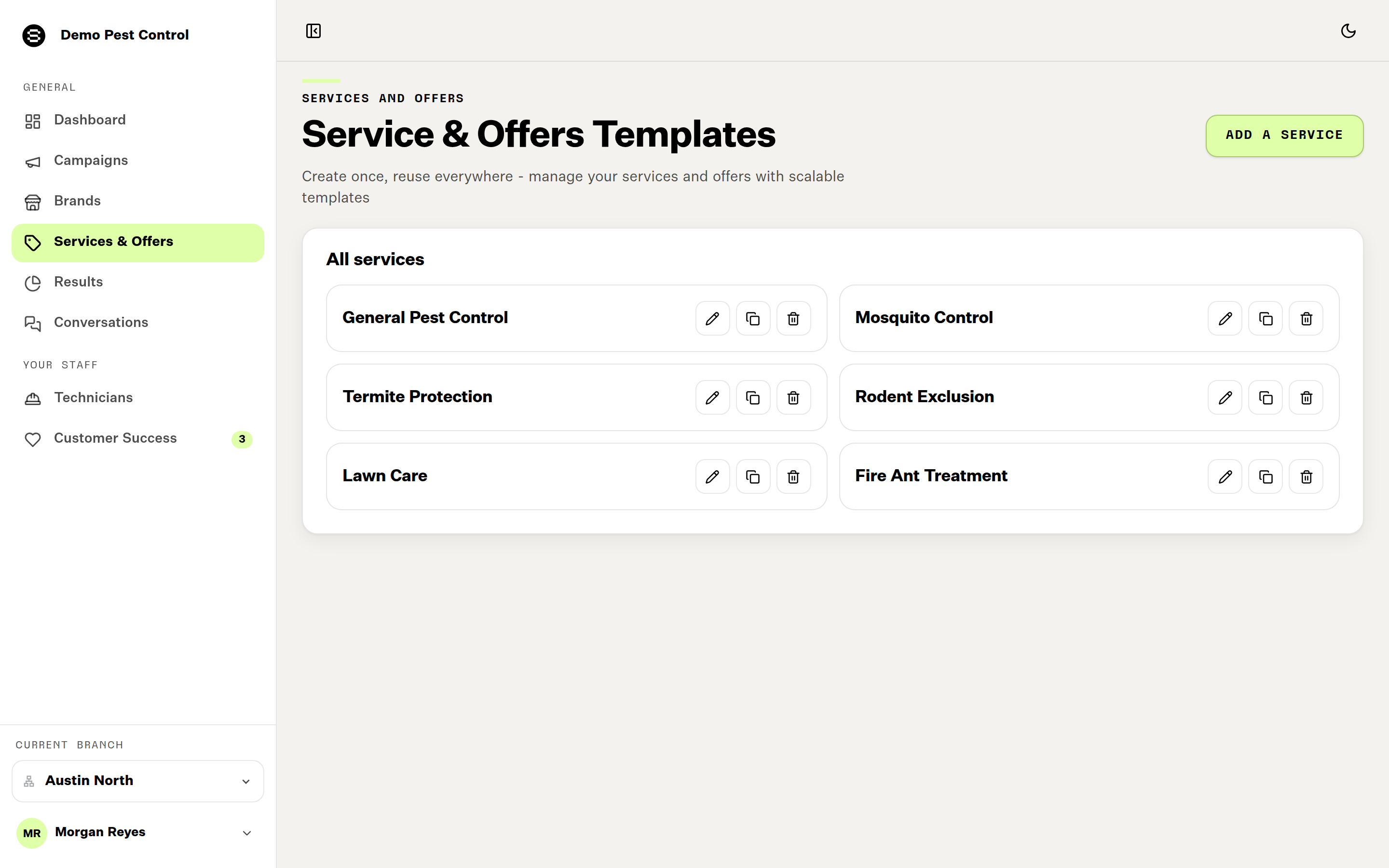
The service list, a Sales this month tile on each service's own page, and each offer with its three tabs. The offers are picked when you build a campaign in Campaigns, and sales show in Results.
What good looks like
Aim for one price list that matches what your office quotes today, so every customer hears the same price for the same service, whether they call, come back after canceling or add a service. Discounts should be ones you decided in advance and are happy to give.
Numbers to watch:
- Sales this month on each service's page, by service and by branch.
- Average price sold against your list price, so you see how much discounting costs you.
- Sales by conversation type in Results: new callers, win-backs and upsells.
What you control
What each offer sells, when it runs, its price, contract terms and visit cadence; how much discount you allow for each kind of conversation; where each offer is sold; and how the sale is closed in your CRM.
What stays with your team
Your prices and your pricing decisions. Sellify AI quotes inside the lines you draw here. Working out the right price is covered in How much should you charge for pest control?
Related
- Upsells and Cross Sells, Win Backs and Inbound Voice
- Collecting past-due balances without losing the customer
- Back to Sales and revenue
Questions
Can an offer have a different price in one branch?
Can Sellify AI go below my price?
Can I set a different discount for win-backs and upsells?
Did my existing offers change with the new screen?
Where do I see what each service sells?
Sellify AI does this texting and call answering for pest control companies. See how it works, or book a walkthrough. Already a client? Ask your account manager.
Sources
- Sellify AI product documentation