A Closed view and count
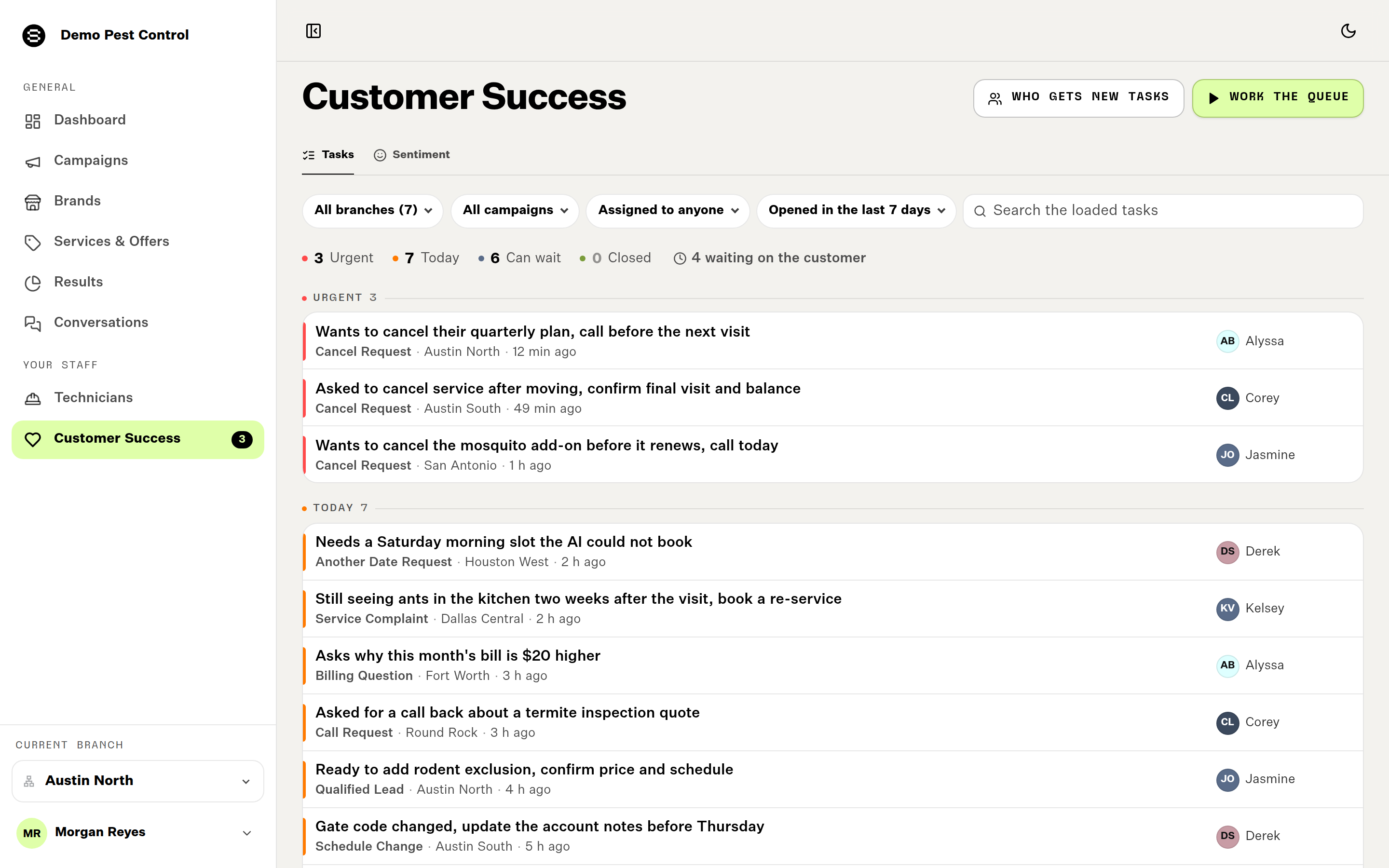
- 1Urgent, Today, Can wait and Closed.
- 2Work the queue.
- 3Qualified Lead, a task kind under Today.
Next to Urgent, Today and Can wait, the queue now has Closed, so you can look back at the tasks already done. In work mode, which steps through your tasks one by one, a Closed counter shows how many you finished in the session.
A new task kind: Qualified Lead
Every task carries a kind that says why it came to you. The list now includes Qualified Lead, next to Cancel Request, Another Date Request, Scheduling Failed, Billing Question, Service Complaint, Schedule Change, Call Request, Question and Reschedule No Reply.
Why it matters
A queue is only useful if you can see it empty out. The Closed view and count show the office's progress, and a separate kind for leads makes them easy to spot among service tasks.
Read more on the Tasks page, the Customer Success update from 12 November, and our guide on running customer handoffs as one queue.
Part of the Office and customer service hub.
Already a client? Ask your account manager.
Sources
- Sellify AI product documentation