What it does
Your office works one sorted list instead of an inbox of forwarded emails. Each task goes to a person in its branch, and a Closed count sits next to the open ones. You can narrow the queue by branch and, since 18 November, by campaign. It does not do the work in the task: the call back, the cancel conversation and the reschedule are done by your team.
What your office sees
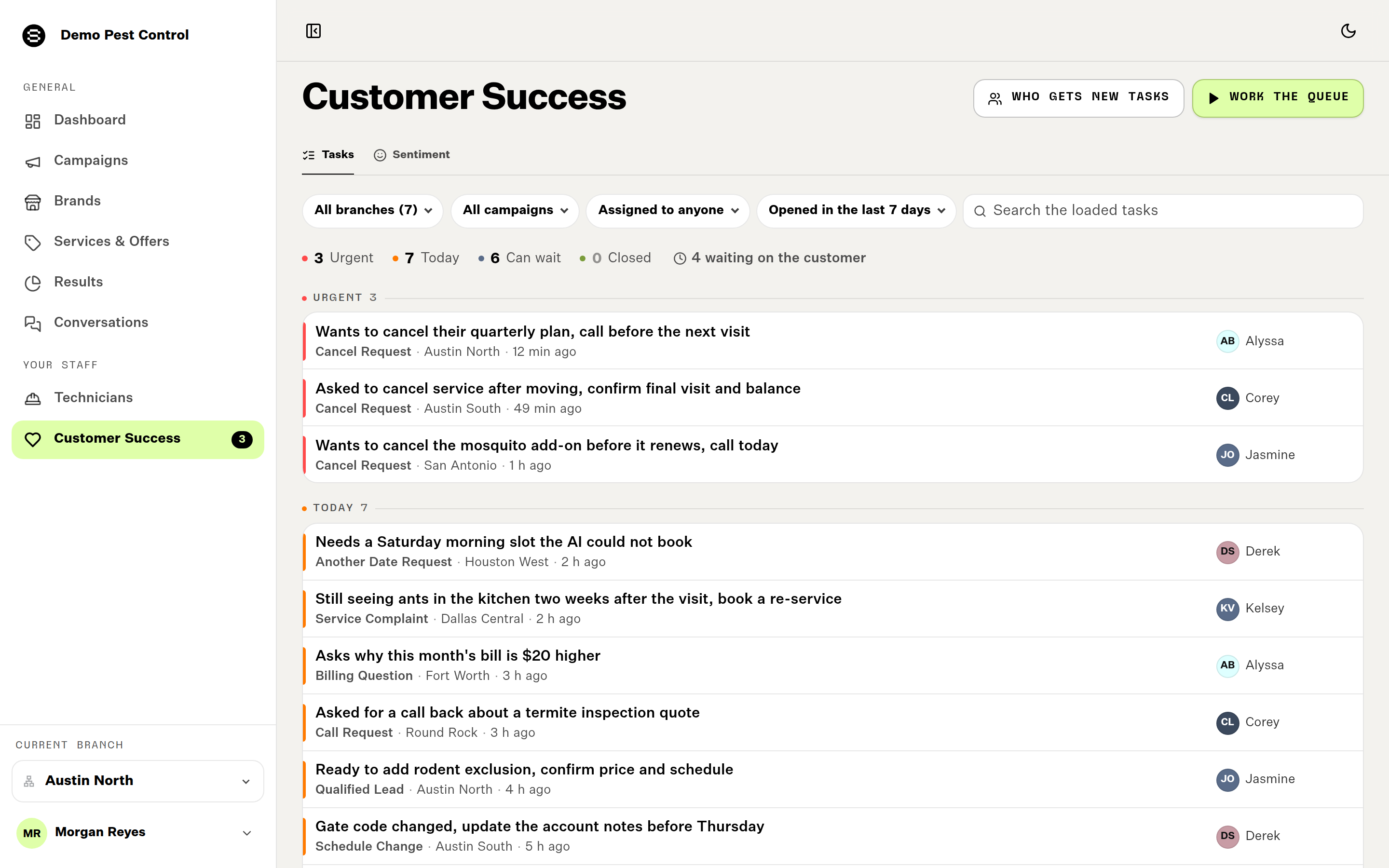
- 1Counts for Urgent, Today, Can wait and Closed, plus tasks waiting on the customer.
- 2Urgent tasks sit at the top, to work first.
- 3Today tasks: clear them before the office closes.
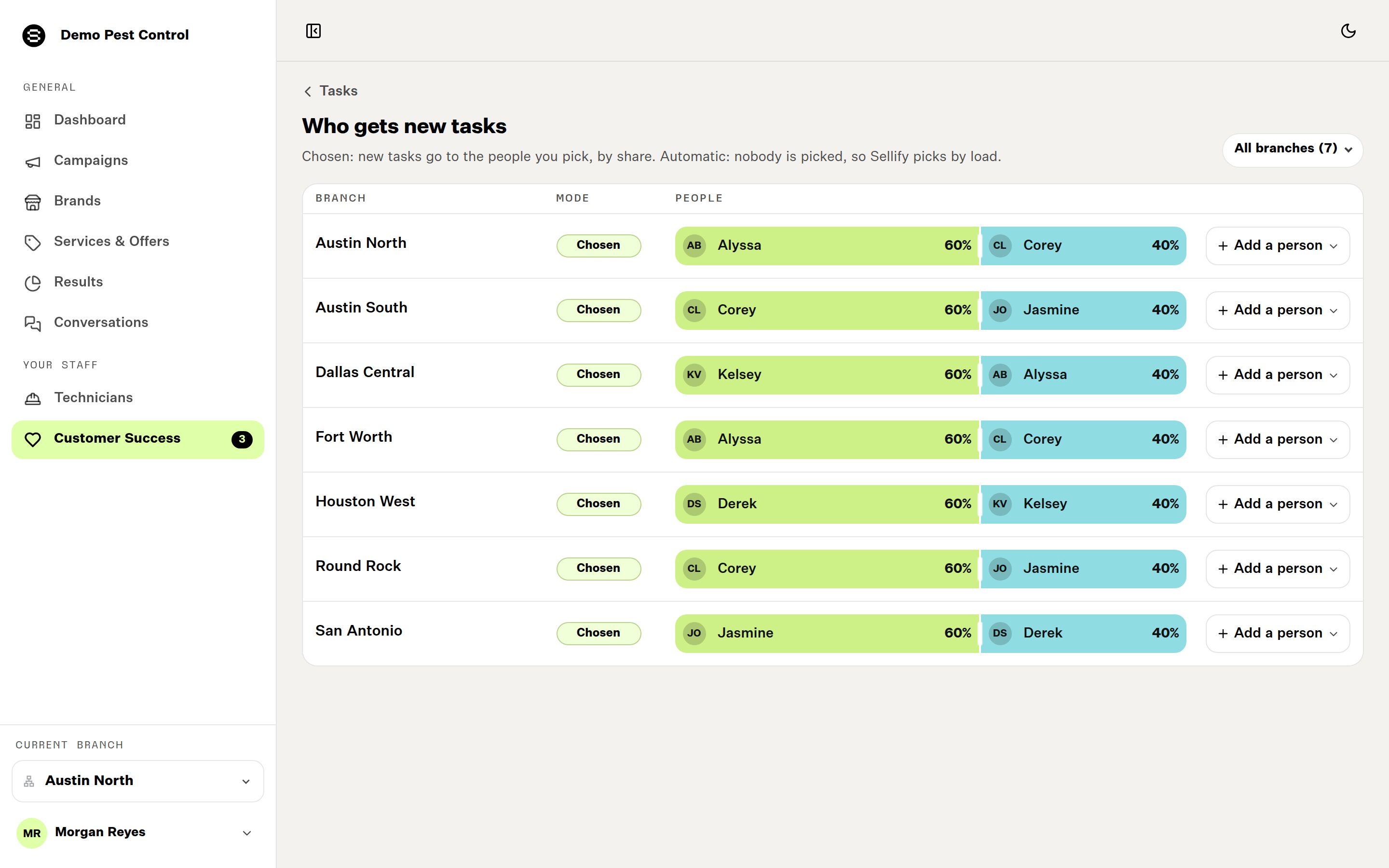
- 4Who gets new tasks.
- 5Work the queue.
Task kinds, with the labels you see in the app: Cancel Request, Another Date Request, Scheduling Failed, Billing Question, Service Complaint, Schedule Change, Qualified Lead, Call Request, Question, Reschedule No Reply.
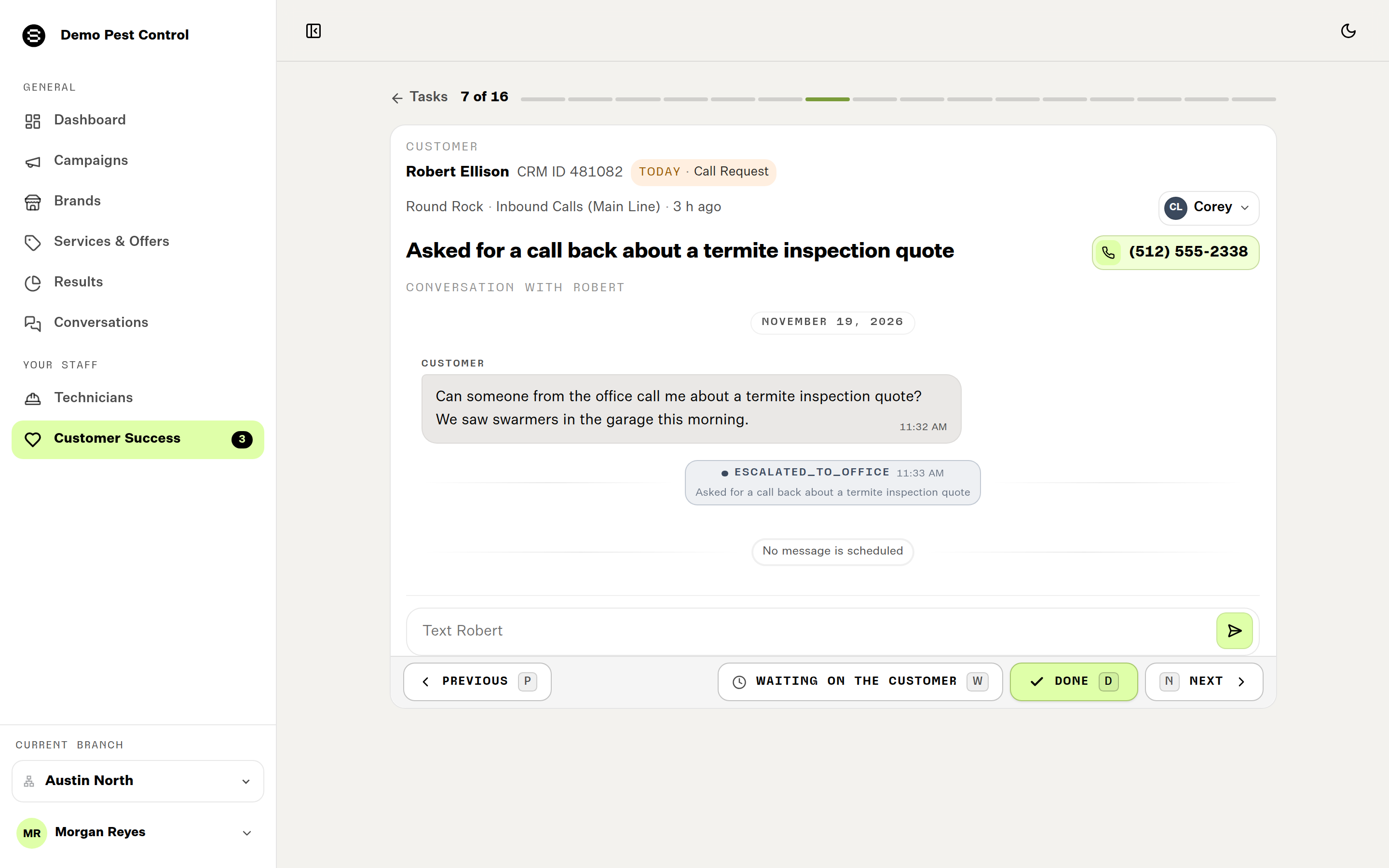
Each task page shows the message that triggered it, a summary of what to do and the customer's data. You can text the customer from the task, then click Waiting on the customer or Done.
A morning with the queue
Example: Monday morning at Demo Pest Control
Example data. Invented people and tasks.
- 8:00
Open Tasks
OfficeDana sees 2 Urgent, 4 Today and 3 Can wait for her branch.
- 8:05
Urgent first
OfficeA Cancel Request: a customer is moving. Dana calls, confirms the last visit and the balance, and marks it done.
- 8:20
Work the queue
OfficeShe steps through her Today tasks one by one. An Another Date Request needs a Saturday slot, so she books it in the CRM.
- 8:45
Text from the task
OfficeA Billing Question needs a copy of an invoice. Dana texts the customer from the task and clicks Waiting on the customer.
- 9:10
A Qualified Lead
OfficeA customer wants a quote for rodent exclusion. Dana calls back with the price and books the work.
- 10:00
Can wait
OfficeA Call Request from Friday gets its call back. The Closed count shows what the morning cleared.
What you control
- Assignment: people per branch and their share of tasks. By default, the people who received the handoff emails before.
- Task status: Waiting on the customer, or Done.
What the customer sees
A person from your company following up, by text from the task or by phone. The reply goes to the same thread.
What stays with your team
Everything in this queue. Tasks are the conversations that need a person. What good looks like: Urgent tasks answered the same morning, the queue empty by the end of the day, and the Closed count growing each week. Watch how long tasks sit open and how many cancel requests you keep.
Related
- Guide: Pest control office handoffs: run them as one queue
- Guide: Pest control cancellation: what to do in the next hour
- Conversations
- Notifications
- Sentiment
- Updates: Tasks: a Closed count and the Qualified Lead task, Customer Success: Tasks and Sentiment
- Back to Office and customer service and the pillar guide How to keep recurring pest control customers
Questions
What kinds of tasks are there?
Who gets each task?
Do tasks come by email too?
Can I text the customer from a task?
What happens to conversations my team takes over?
Sellify AI does this texting and call answering for pest control companies. See how it works, or book a walkthrough. Already a client? Ask your account manager.
Sources
- Sellify AI product documentation