What changed
Screen tour
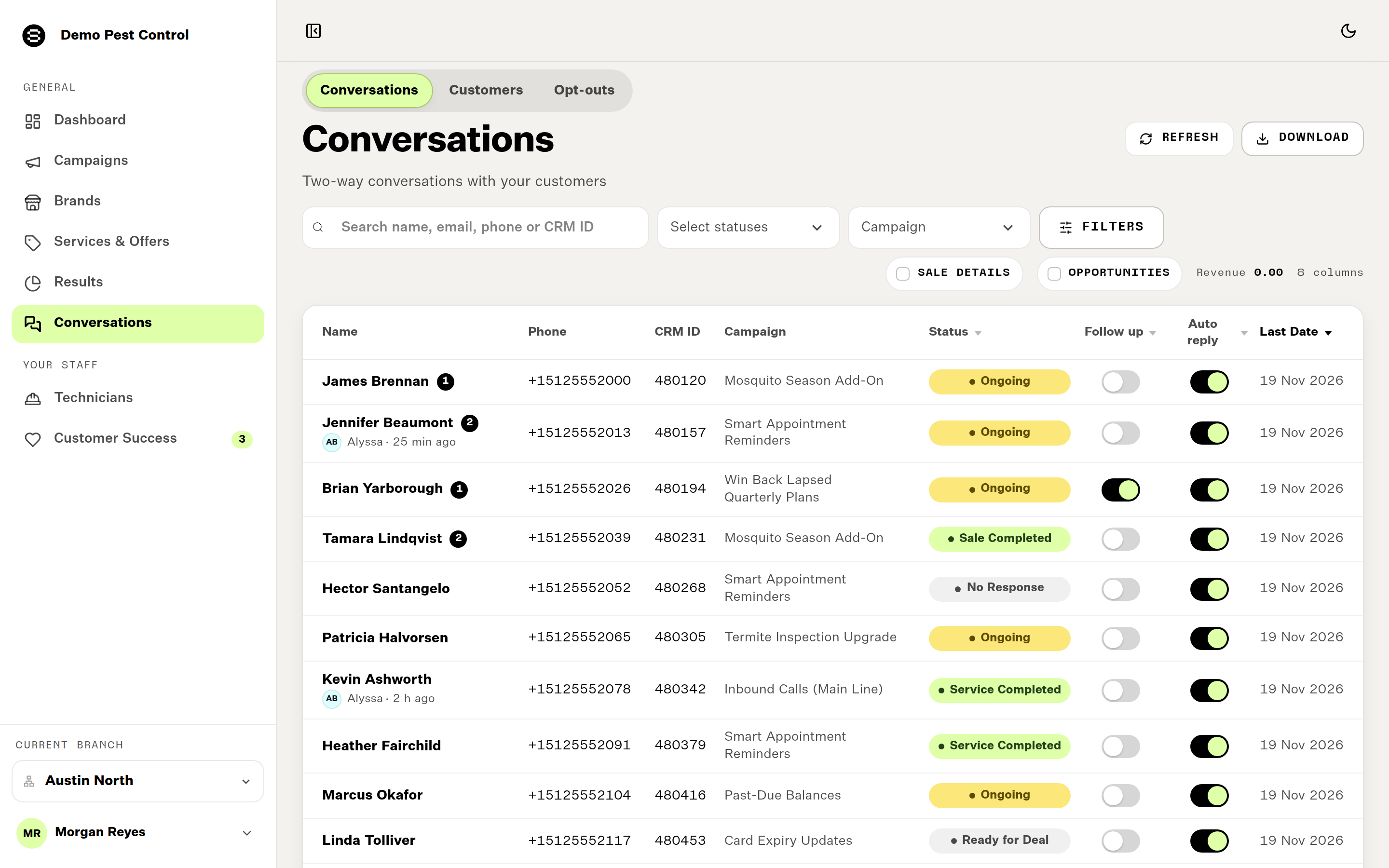
- 1Search finds more cases, including the customer's full name.
- 2Avatars show the last people on your team who opened the conversation.
- Search by full name. Search works on more cases, including a customer's full name, as well as phone number.
- A link to the task. If a conversation has a task in Customer Success, the conversation links straight to it.
- Who opened it. Before you click a conversation, you can see the avatars of colleagues who already opened it, and the detail panel shows who opened it and when.
Profile photos
To make those avatars useful, each user can now upload an optional profile photo under Settings > Profile. Photos also help put a face to the person who owns a task.
Read more on the Conversations page and on Tasks. The day before, Sellify added Customer Success tasks and Sentiment. For the office habit behind it, see running customer handoffs as one queue.
Part of the Office and customer service hub.
Already a client? Ask your account manager.
Sources
- Sellify AI product documentation