Tips
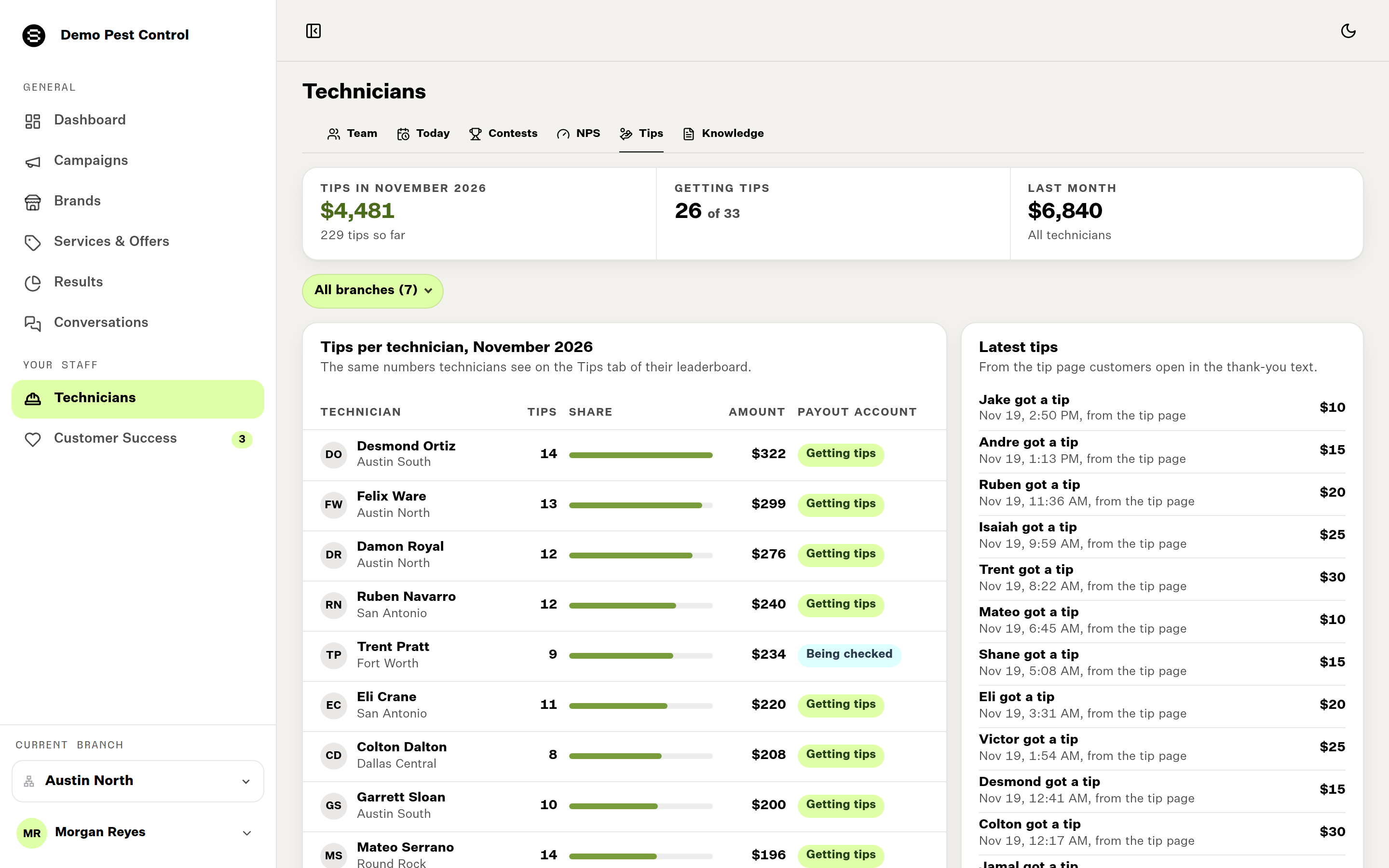
A happy customer can tip their technician from a text after the visit. The customer opens a tip page, picks a suggested amount or types one, and pays by digital wallet, card or bank. The money goes to the technician's own payout account, which each technician sets up in the app; it does not pass through the company. The office sees every tip in the Tips tab and can switch on a monthly tip statement by email.
Contests
The office creates a New contest for one branch on ratings or jobs done, for the dates it picks, with prizes in whole dollars for first, second and third place. When the contest ends, the prize is charged to the company's card and paid to the winning technicians. Technicians follow the standings in Earnings. Earlier contests stay under Past contests.
Knowledge and Ask
The office uploads company documents, such as labels, procedures and policies, in Knowledge. In Sellify Tech, a technician asks a how-to question in Ask, by text or voice, and gets the answer from those documents.
Read more on Tips for technicians, Contests and Knowledge and Ask, or see the Sellify Tech update. Thinking about tips? Our guide on tipping pest control technicians covers how to offer it fairly.
Part of the Technicians hub.
Already a client? Ask your account manager.
Sources
- Sellify AI product documentation