What it does
Your technicians get answers from your own documents, by text or voice, on the phone. Ask knows only what you upload: if a document is missing or out of date, the answer is too.
- One library: treatment protocols, product labels and safety documents in one place, sorted by category.
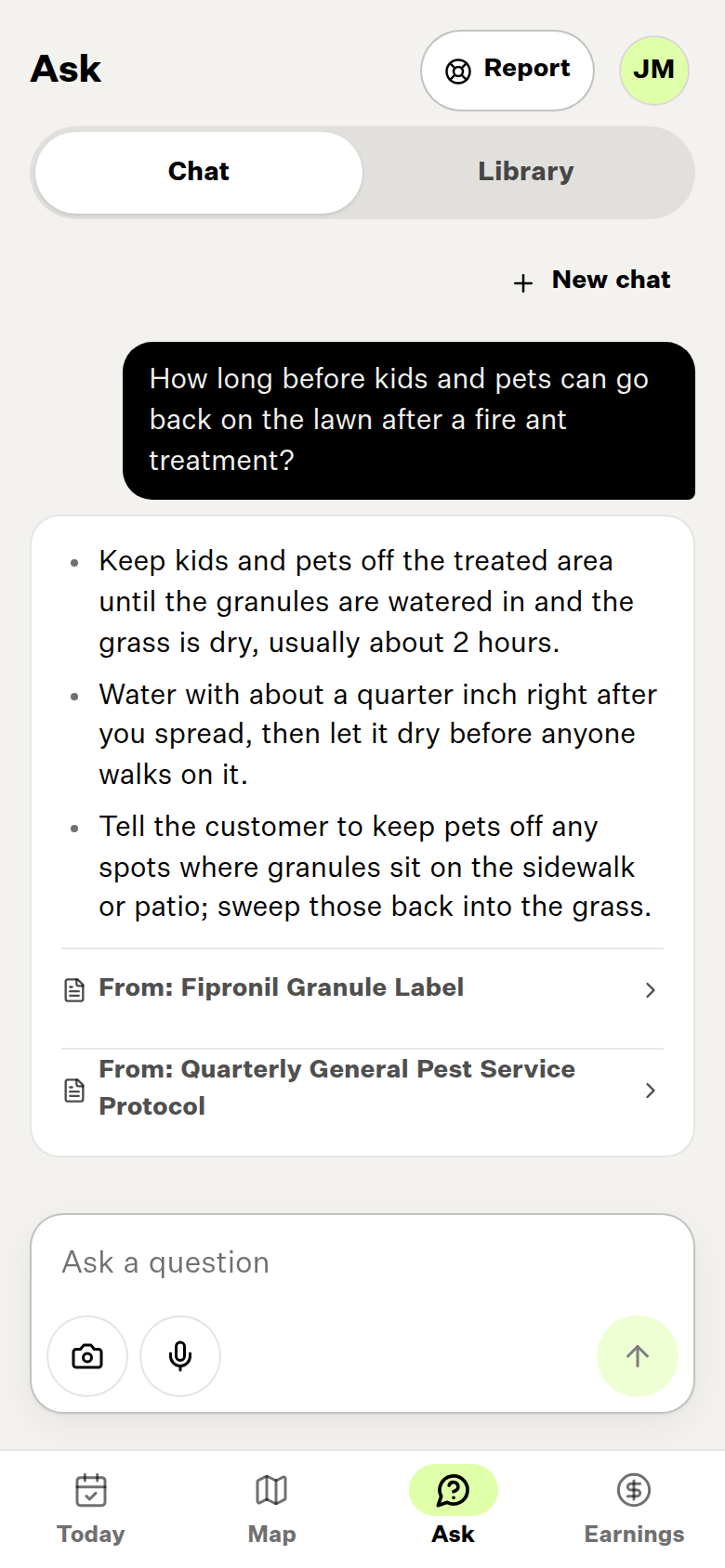
- Answers on the phone: a technician at a stop asks a question and reads the answer, with article pages to read more.
- Your documents: Ask answers only from the documents your office uploads.
Where things are
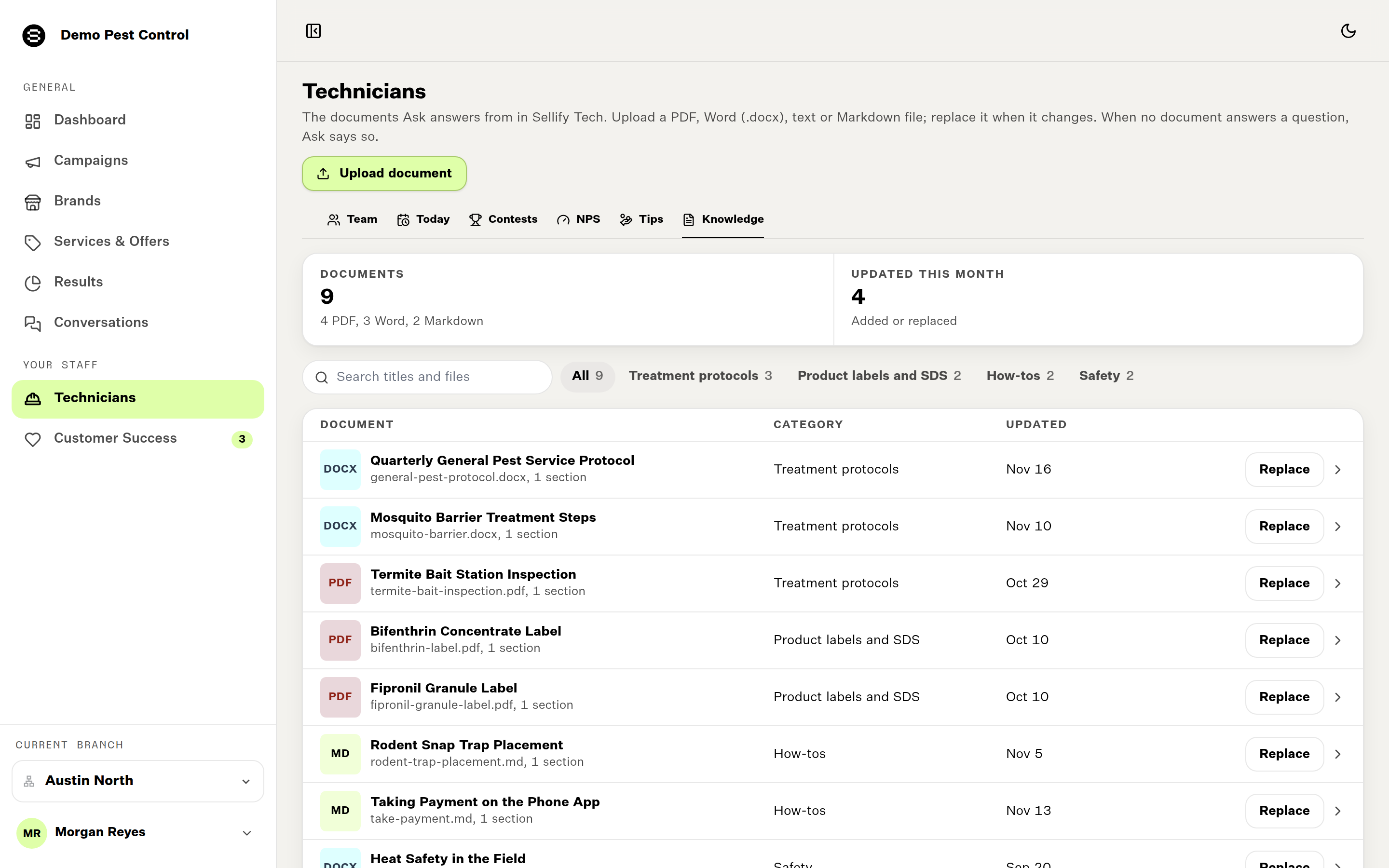
- 1Upload document: PDF, Word, text or Markdown, with a category.
- 2Search titles and files, or filter by category.
- 3Each document with its category and when it was updated. Replace it when it changes.
Categories in the library: Treatment protocols, Product labels and SDS, How-tos and Safety.
Which documents to load first
Start small. Ten good documents beat a hundred old ones. Tick what you already have in a current version.
Score your company
Tick what is true today. The counter adds up as you go.
| Ticked | What to do next |
|---|---|
| 0 to 3 | Write down the three rules techs ask about most, then upload labels and SDS first. |
| 4 to 7 | Upload what you have now. Add one missing document a week. |
| 8 to 10 | Upload all of it, then check each document is current before techs rely on it. |
What the technician sees
Ask in Sellify Tech: a chat to type or speak a question, the answer, and article pages to read more.
What your office sees
Technicians > Knowledge: the document library with categories, when each was updated, and search. The office uploads, replaces and deletes documents here.
What you control
- Upload, replace, delete documents: the library is yours to keep current.
- What Ask uses: every document in the library. Delete a document and Ask stops using it.
- Category: each document goes into Treatment protocols, Product labels and SDS, How-tos or Safety.
What stays with your team
Your procedures and their accuracy stay your responsibility. If a label or a protocol changes, replace the document and Ask answers from the new one. For anything a document does not cover, your technicians still call the office. For a new hire plan built around this, read Pest control technician training: a first 30 days checklist.
Related
Technicians hub
For technicians and the owners who keep them: guides on training, retention and tips, plus what the Sellify Tech pest control technician app shows on a phone.
Pest control technician retention: 7 habits that keep techs
Too few technicians holds back many pest control companies. Seven retention habits that keep good techs: a clear day, fair feedback, recognition, visible pay.
Technicians: Team and Today
The Technicians area shows your office every route as it happens: where each tech is, stops done, who runs late and which stops have problems to handle.
Update: tips, contests and knowledge for technicians
Three new tools under Technicians: customers can tip their technician, the office runs contests per branch with prizes, and techs get answers from your files.
Questions
Where do Ask's answers come from?
Which files can I upload?
Can technicians ask out loud?
Sellify AI does this texting and call answering for pest control companies. See how it works, or book a walkthrough. Already a client? Ask your account manager.
Sources
- Sellify AI product documentation