What the technician sees
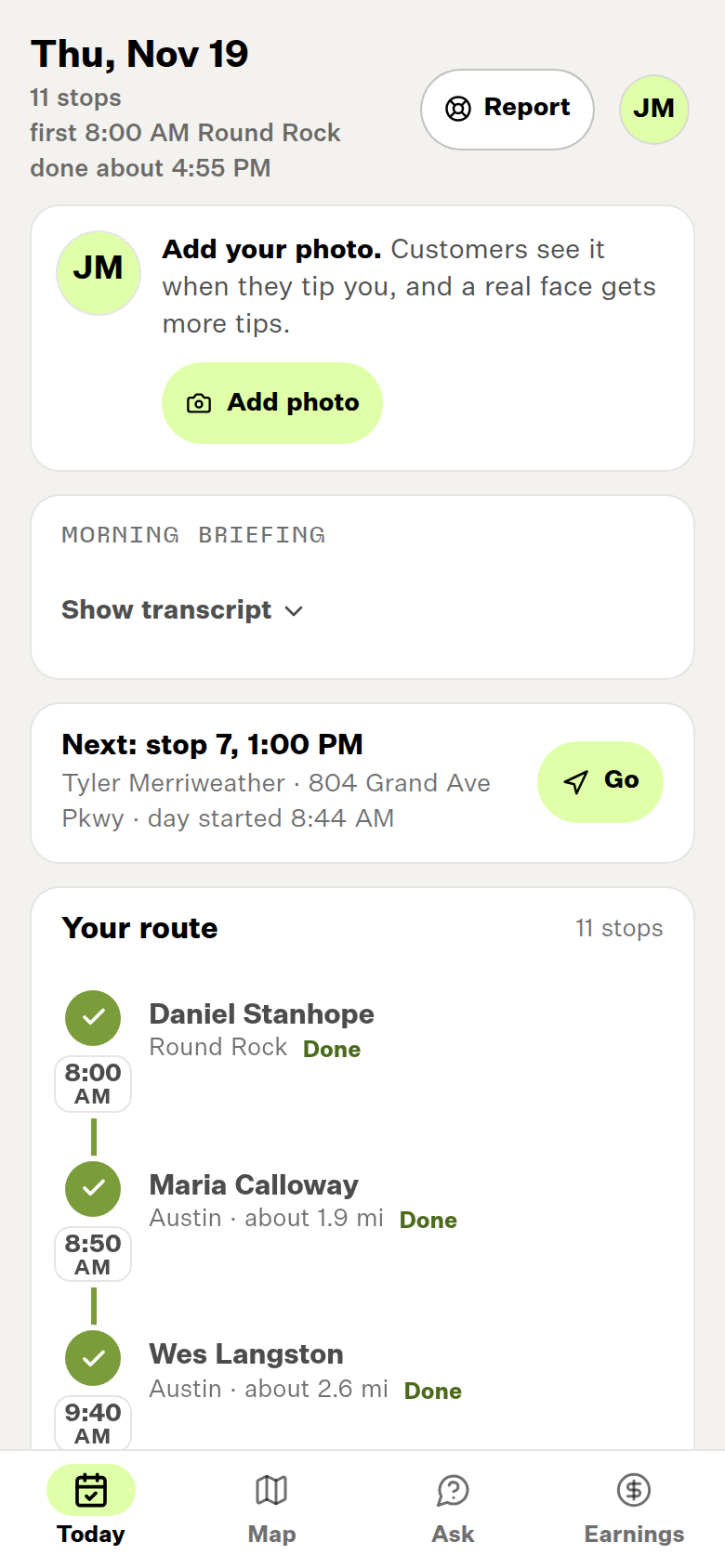
- 1Morning briefing, to read or play.
- 2The next stop, with Go.
- 3Today's route, stop by stop.
- Today: the route, the morning briefing and the next stop.
- Map: the stops on a map.
- A stop: text the customer "on my way", call or navigate, read the customer's texts, update customer info, see money to collect, the office notes and the last visit, use Charge card where your CRM supports it, and write one visit note (typed, dictated or from a template) that Sellify splits into a customer note and an office note.
- Ask: how-to answers from your company's documents.
- Earnings: tips and payouts.
What the office sees
Under Technicians, the Team tab lists your technicians from your CRM, whether each one uses the app, and an email invite. The Today tab shows routes by branch and technician, and Problems on routes: notes that contradict today's schedule, with Call and Handled. Until technicians are invited, Today, Contests and Tips show what Sellify Tech offers.
What the customer sees
The "on my way" text and visit texts arrive in the same thread as their reminders.
Technicians can read Sellify Tech for technicians: what the app shows you, written for them. Read more on the Sellify Tech and Technicians: Team and Today pages. The same release added tips, contests and Ask. For the people side, see pest control technician retention.
Part of the Technicians hub.
Already a client? Ask your account manager.
Sources
- Sellify AI product documentation