What it does
Your customers can tip a technician from a text after the visit, and the money goes to the technician's own payout account. Tips does not set your tip policy or handle payroll and taxes; those stay with you and your accountant.
- For the customer: a simple tip page with the technician's name and your company name. Suggested amounts or their own. No app to install.
- For the technician: tips and payouts in Earnings in Sellify Tech.
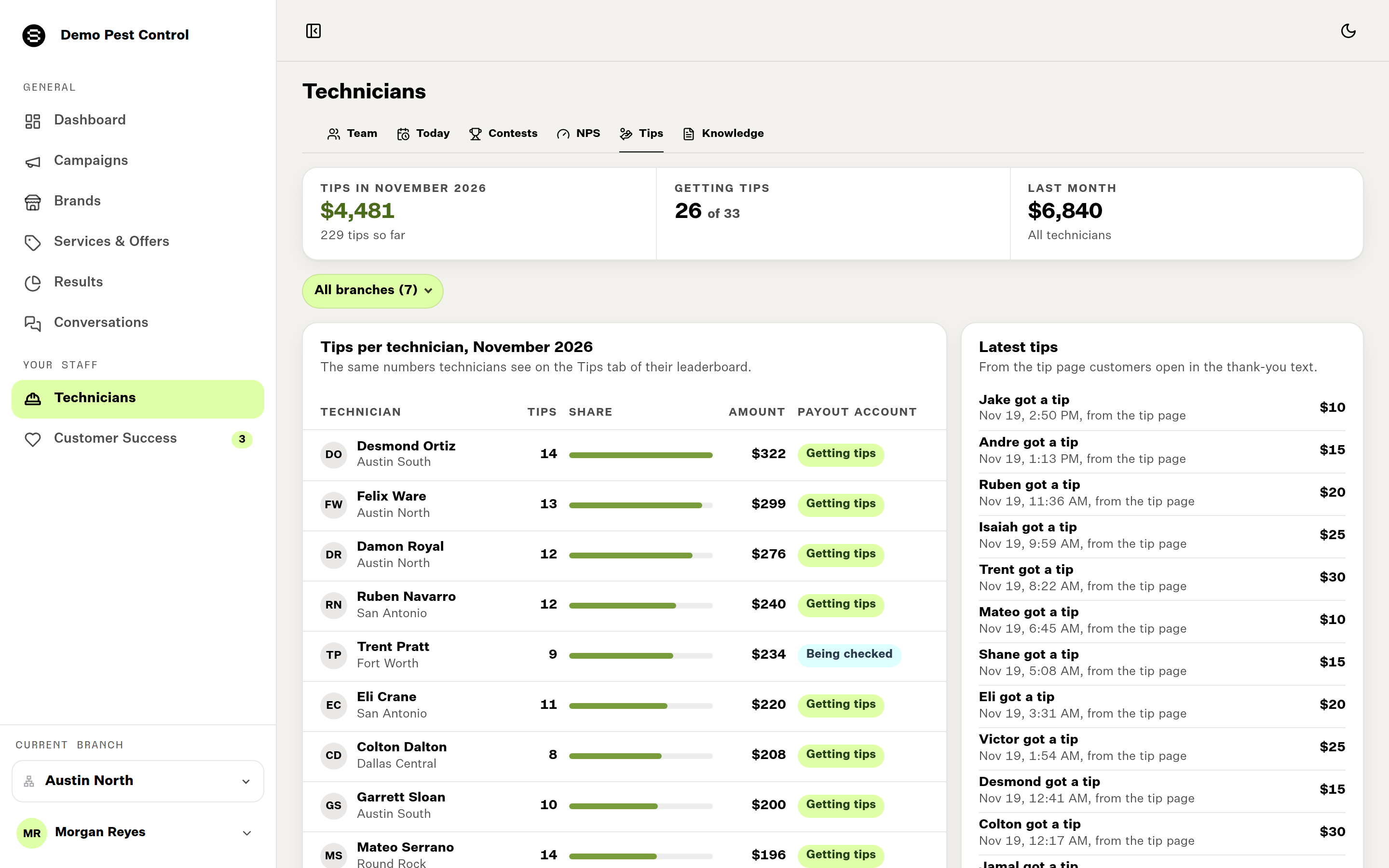
- For the office: each technician's tips for any period and the latest tips in Technicians > Tips, plus an optional monthly tip statement by email.
The path of one tip
- Visit day
The service is done
TechnicianDemo technician Sam finishes a quarterly service at a Demo Pest Control customer's home. Example data.
- After the visit
A text with a tip link
CustomerThe customer gets a text after the visit with a link to tip Sam.
- When they choose
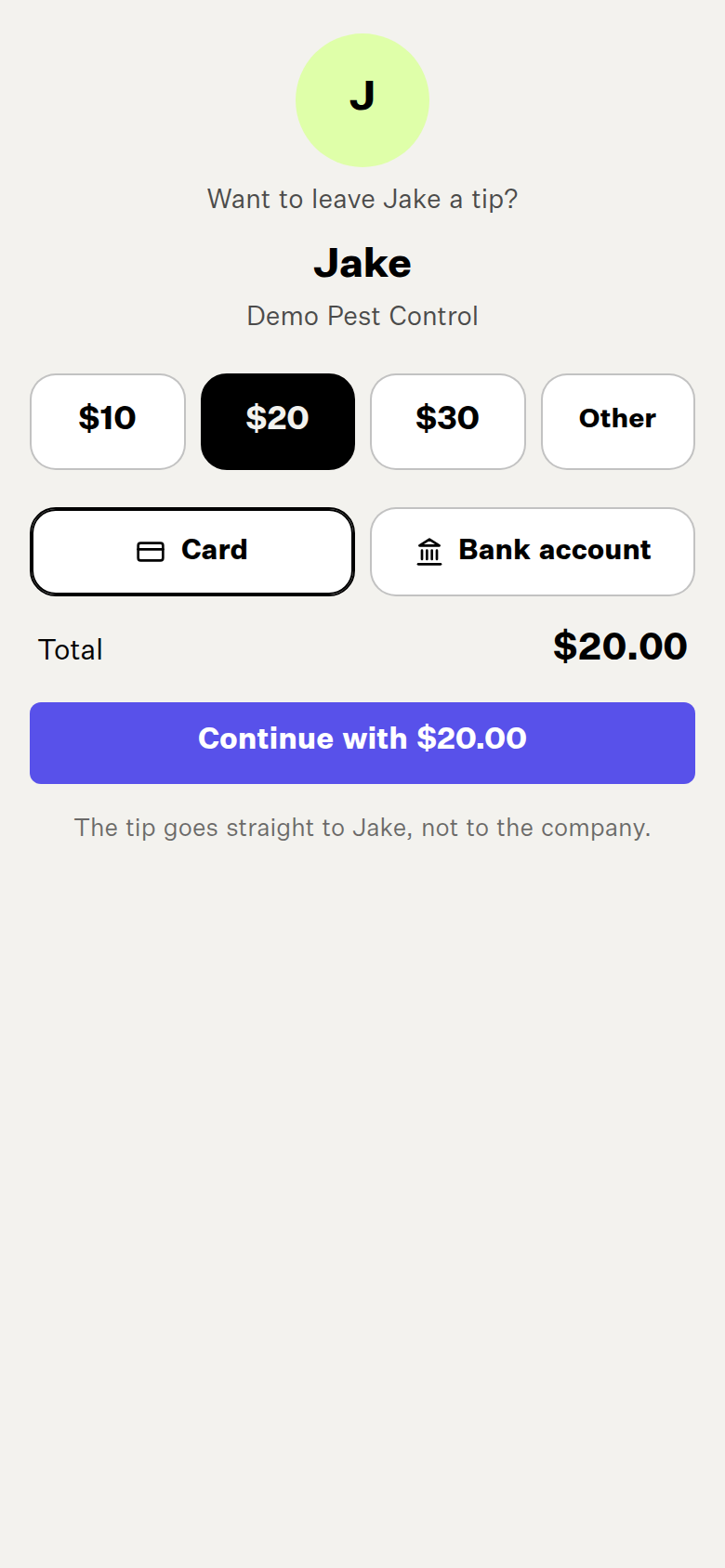
The tip page
CustomerThe page shows Sam's name. The customer picks a suggested amount or types one, for example $15, and pays by digital wallet, card or bank.
- After the tip
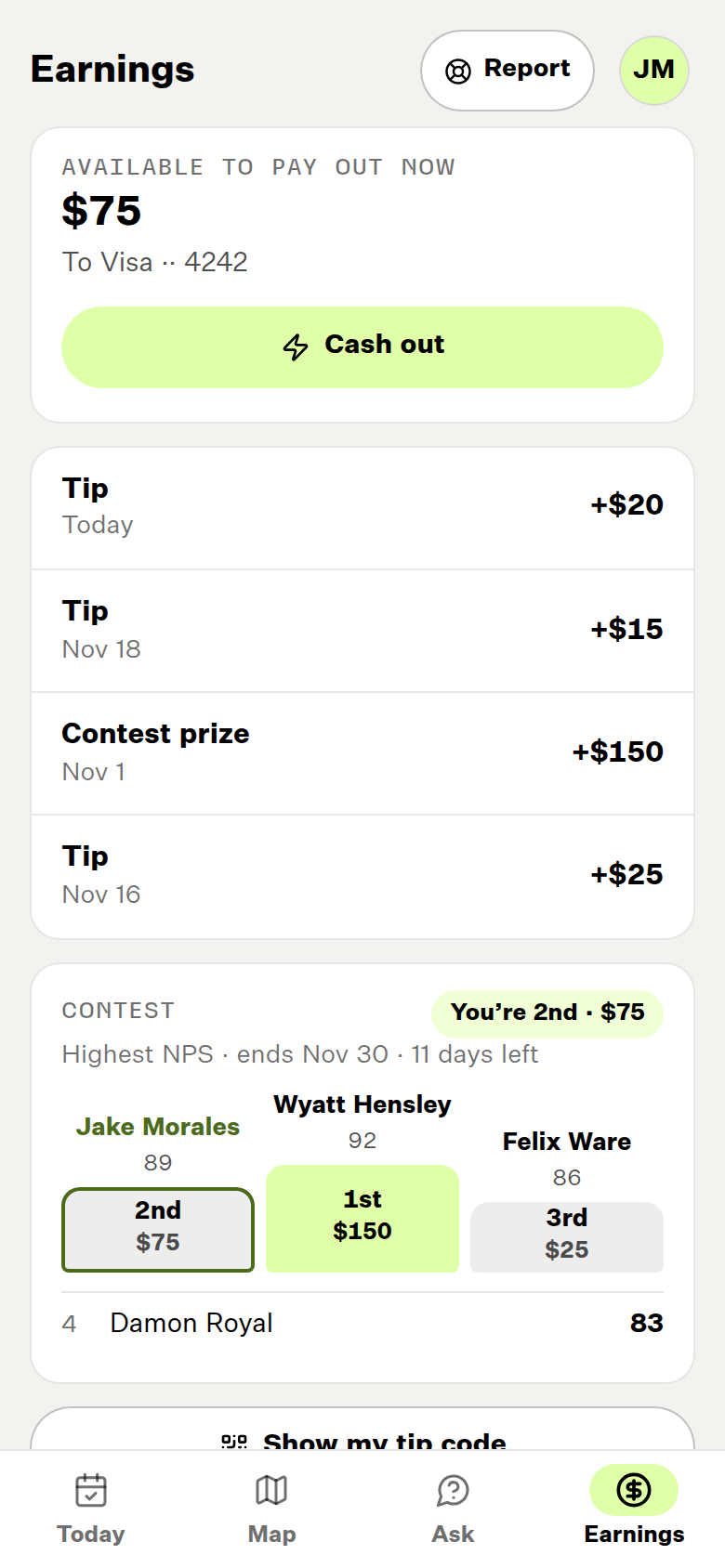
Earnings
TechnicianThe tip shows in Sam's Earnings in Sellify Tech.
- Payout
Own payout account
TechnicianSam is paid out to the payout account Sam set up in the app. The money goes to the technician, not through the company.
- Month end
Tips and statement
OfficeThe office sees Sam's tips in Technicians > Tips and, if switched on, gets the monthly tip statement by email.
Myths about tipping technicians
If customers tip, the company has to collect and pass on the money.
With Tips, the money goes to the technician's own payout account, not through the company.
Source: Sellify AI product documentationCustomers will only tip in cash at the door.
The tip page offers suggested amounts or one the customer types, paid by digital wallet, card or bank, after the visit, when the customer has time.
Source: Sellify AI product documentationTips are invisible to the owner.
Technicians > Tips shows each technician's tips for any period and the latest tips, so the office sees who received what.
Source: Sellify AI product documentationTechnicians earn enough that a tip does not matter.
The median pay for pest control workers was $45,250 in May 2025. A few tips a week are noticed.
Source: Bureau of Labor Statistics, 2025What the technician sees
Earnings in Sellify Tech: their tips, their payouts, contest prizes and the standings of any running contest. Each technician sets up their own payout account in the app.
What your office sees
Technicians > Tips: tips by technician for a period you choose and the latest tips. What you do with that data, such as payroll or recognition, is your call.
What you control
- Whether your technicians use the app: you invite them from Technicians > Team.
- Monthly tip statement: on or off. When on, Sellify emails you each technician's tips for the month before.
- How often to ask for a tip: you set how often the same customer may be asked.
- How you use the data: the tip list and the statement are yours to share with your accountant or your managers.
What stays with your team
Your pay plan and your tip policy stay yours. Ask your accountant how tips should be handled for payroll and taxes. For help writing a fair policy, read Tipping pest control technicians: how to offer it fairly.
Related
Technicians hub
For technicians and the owners who keep them: guides on training, retention and tips, plus what the Sellify Tech pest control technician app shows on a phone.
Pest control technician retention: 7 habits that keep techs
Too few technicians holds back many pest control companies. Seven retention habits that keep good techs: a clear day, fair feedback, recognition, visible pay.
Technician NPS
Technician NPS turns customers' one-question answers after each visit into a score per pest control technician, with Keep doing and Fix notes for coaching.
Update: tips, contests and knowledge for technicians
Three new tools under Technicians: customers can tip their technician, the office runs contests per branch with prizes, and techs get answers from your files.
Questions
How does the customer pay a tip?
Does the tip go through my company?
How does a technician get paid?
What does the office see?
Sellify AI does this texting and call answering for pest control companies. See how it works, or book a walkthrough. Already a client? Ask your account manager.
Sources
- Sellify AI product documentation
- Bureau of Labor Statistics: Occupational Outlook Handbook, Pest Control Workers