It is called involuntary churn: the customer did not decide to leave, their payment did. In subscription businesses it is large. One vendor reports that on average 13% of recurring-revenue transactions decline each month, and that 53% of customer attrition is involuntary (Recurly, vendor, 2023). A separate survey found 27% of subscribers were likely to cancel after an avoidable failed payment, such as an expired card (PYMNTS Intelligence and FlexPay, vendor-sponsored, 2023). Neither source is about pest control. But a quarterly or monthly pest plan on autopay works the same way. If most of your customers pay by invoice rather than autopay, this routine matters less; start with past-due balances instead.
Part of the Billing and collections hub. For the balances that are already past due, see collecting past-due balances without losing the customer.
What a failed charge costs you
A failed charge costs more than the amount. Someone in the office has to notice it, reach the customer, take the new card and run it again. Meanwhile the customer gets a decline notice, or a text about money they thought was handled, and for some of them that is the moment to stop service.
Run the numbers on your own company. The example uses invented inputs; only the 27% is a published rate.
Example: a year of expiring cards at Demo Pest Control
Example data. Every input except the 27% is an assumption for illustration.
| Line | Example: Demo Pest Control | Your numbers |
|---|---|---|
| What we assume | ||
| Autopay cards that expire in an average monthAssumption | 50 | |
| Share the customer does not update before the chargeAssumption | 60% | |
| Share likely to cancel after an avoidable failed paymentPYMNTS Intelligence and FlexPay (vendor-sponsored), 2023, subscription businesses, not pest control | 27% | |
| Yearly revenue from one recurring customerAssumption | $480 | |
| Working it out, row by row | ||
| 1Failed autopay charges per month50 × 60% = | 30 | |
| 2Customers likely to cancel per month30 × 27% = | 8.1 | |
| 3Yearly revenue at risk from one month of expiries8.1 × $480 = | $3,888 | |
| 4Yearly revenue at risk from twelve months of expiries$3,888 × 12 = | $46,656 | |
The 27% measures how likely people said they were to cancel, so treat the result as a size of the risk, not a forecast.
The monthly card routine
- 1
On the 1st, pull the list.
From your CRM, every autopay customer whose card on file expires this month. If your CRM can filter by card expiry date, save that as a report; if not, ask its support team how to get the list.
- 2
Text, do not email.
A short heads-up from your company's number: the card on autopay expires this month, here is a secure link to update it. Keep it to three lines.
- 3
Use a secure link, never a card number in the thread.
The link should open your CRM's or payment processor's own update page. Do not ask customers to text or email card numbers, and do not read them back over the phone in a busy office.
- 4
Check before you follow up.
Some customers update the card on their own. Look before you send a second text, so nobody gets nagged about something they already did.
- 5
Follow up once, gently.
One reminder for those who have not updated. More than that starts to feel like a collection notice.
- 6
Confirm the card is on file.
Before the charge date, check the new card is saved and tied to autopay. A thank-you text when it is done closes the loop.
- 7
Track two numbers.
Cards expiring this month, and cards updated before the charge. The gap is your failed-payment pipeline for the following month.
Myths about failed autopay
Customers whose card fails will notice and fix it themselves.
Many do not. In one survey, 27% of subscribers were likely to cancel after an avoidable failed payment instead.
Source: PYMNTS Intelligence and FlexPay (vendor-sponsored), 2023, subscription businesses, not pest controlDeclines are rare, so this is not worth a routine.
One vendor reports that 13% of recurring-revenue transactions decline in an average month.
Source: Recurly, vendor, 2023, subscription businesses, not pest controlWhen customers leave, it is about price or service.
The same vendor reports that 53% of customer attrition is involuntary, from payments that fail.
Source: Recurly, vendor, 2023, subscription businesses, not pest controlTaking the new card number by text is fine if the customer offers it.
Send a secure link where the customer enters the card. A card number in a text thread stays on every phone that sees it.
Source: Card-handling practice, not a statisticWhere to go next
More reading: How to keep recurring pest control customers and A customer wants to cancel: what to do in the next hour.
Questions
When should we tell customers their card is expiring?
Can we take the new card number by text?
Is failed autopay really a big cause of cancels?
What billing software feature handles this?
If you use Sellify
Sellify does not update the card; the customer does, on your CRM's own secure page, and Sellify never takes a card number by text. Expiring Credit Cards is a text campaign that reminds autopay customers whose card on file expires this month to update it on that secure page before the charge runs, so fewer charges fail and the office has fewer cards to chase. It runs as one campaign for your whole organization, for the branches you add, within the hours you set for service texts. Balances already past due are for Accounts Receivable.
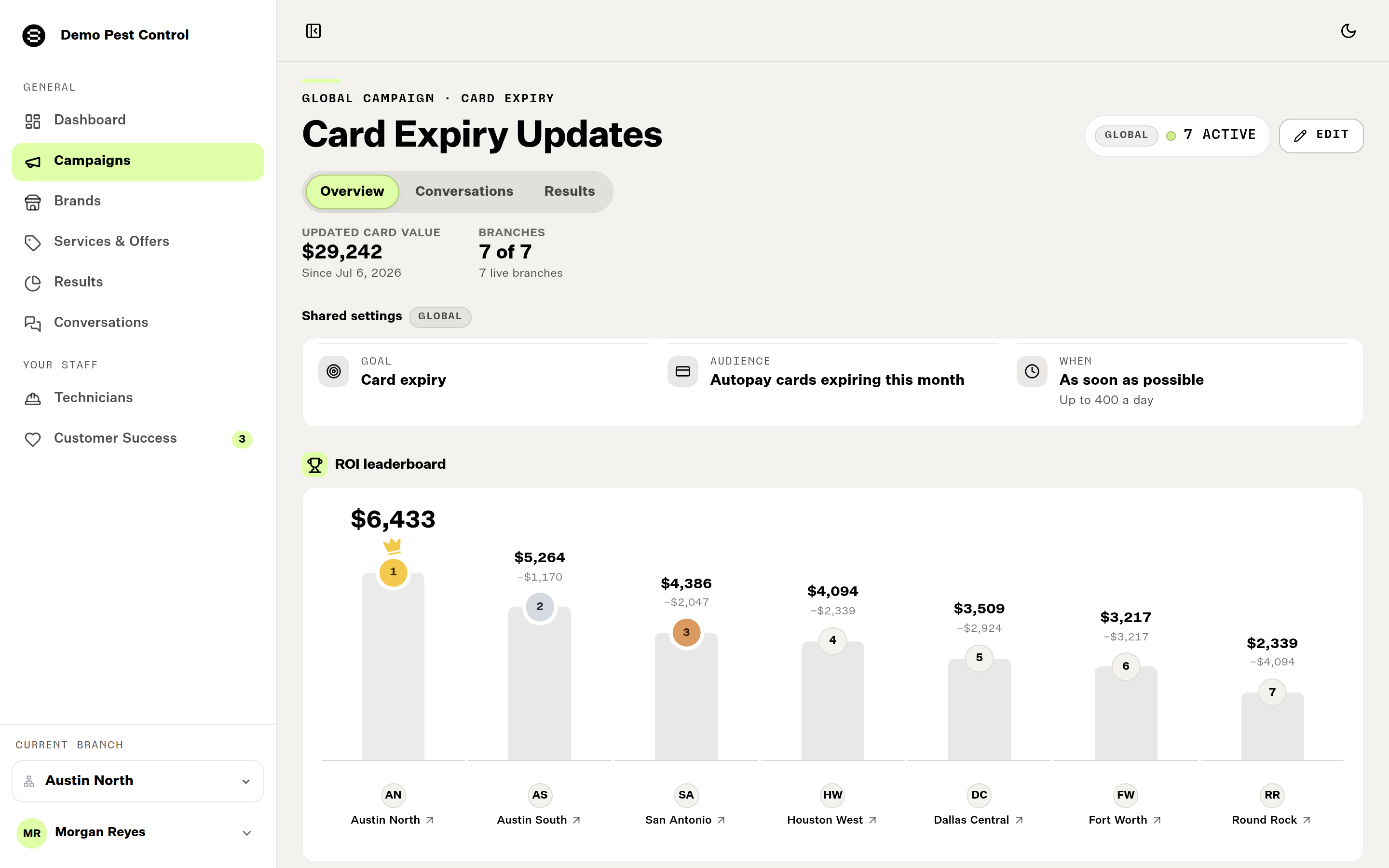
Ask your CRM for a list of autopay cards that expire this month and text each customer a secure link to update theirs.
Sellify AI does this texting and call answering for pest control companies. See how it works, or book a walkthrough.