A failed autopay charge rarely announces itself. The customer did nothing wrong, the visit was done, and now there is a balance, a declined charge and a customer who may decide this is the moment to stop service. Part of the Billing and collections hub.
What it does
Your autopay customers hear about an expiring card before the charge runs, or about an expired one so they can add a new card, and they fix it themselves on your CRM's own page. It does not update the card for them, and it does not chase balances that are already past due.
- Every autopay customer with a card expiring this month hears from you on the 1st, before the charge runs.
- The day you turn it on, customers whose card expires this month are texted right away.
- The customer updates the card through your CRM's own secure link. Sellify AI never takes a card number by text.
- A gentle follow-up if the card is still not updated, and a check that the new card is on file.
- One global campaign for the whole company, covering the branches you add.
By hand and in Sellify
What the customer sees
- One short heads-up text from your company's number: the card on autopay expires this month, or has expired, and here is a secure link to update it.
- Once the card is updated, a one-time $10 credit for adding a backup card and autopay, if either is missing.
- Your CRM's own update page behind the link.
- No request to send card details in the thread.
What your office sees
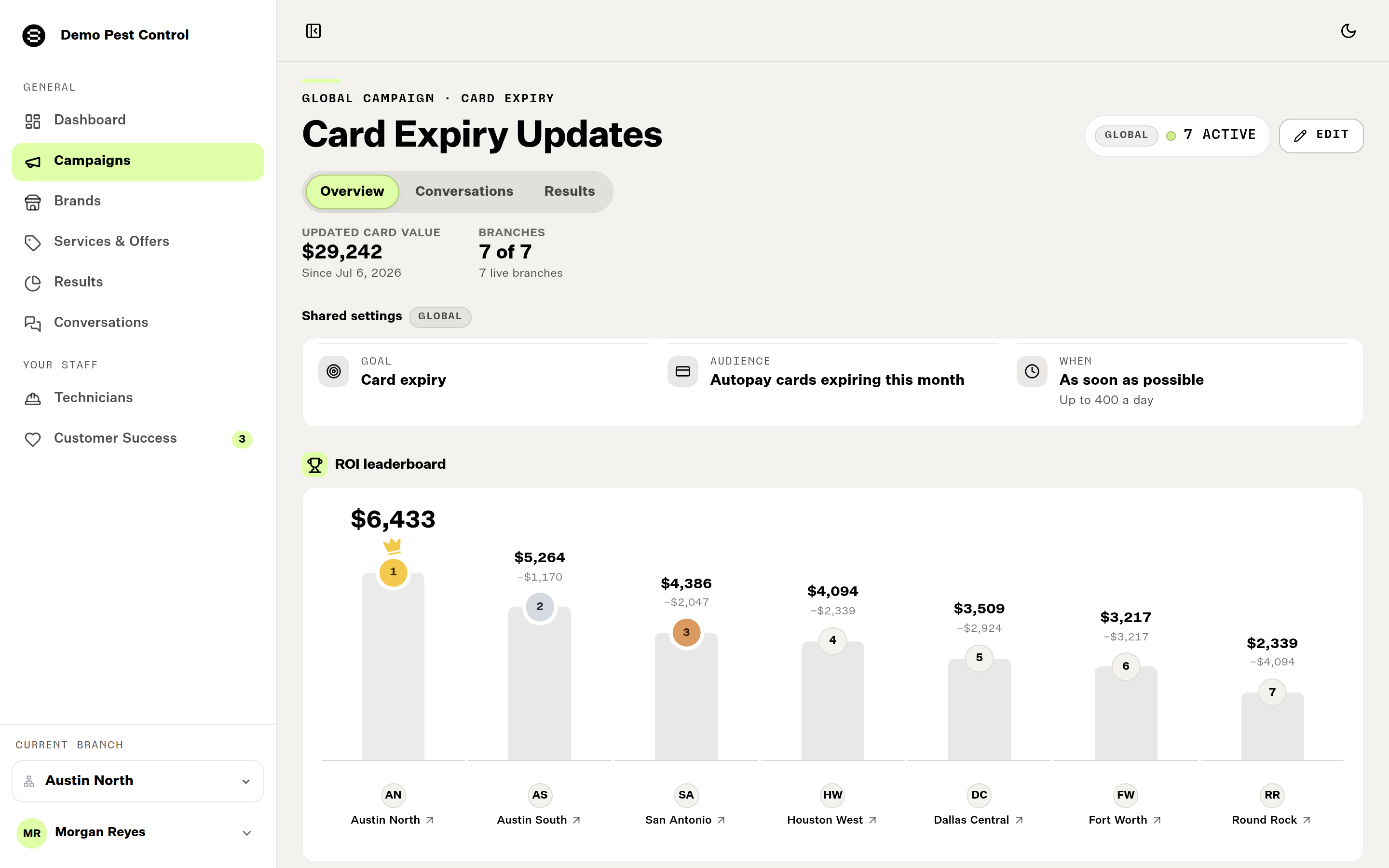
- Campaigns: Card Expiry is a campaign goal. It runs as one global campaign for your whole organization, and you add the branches it covers after you save it; if your organization already has one, the goal shows "(your organization already has a global one)".
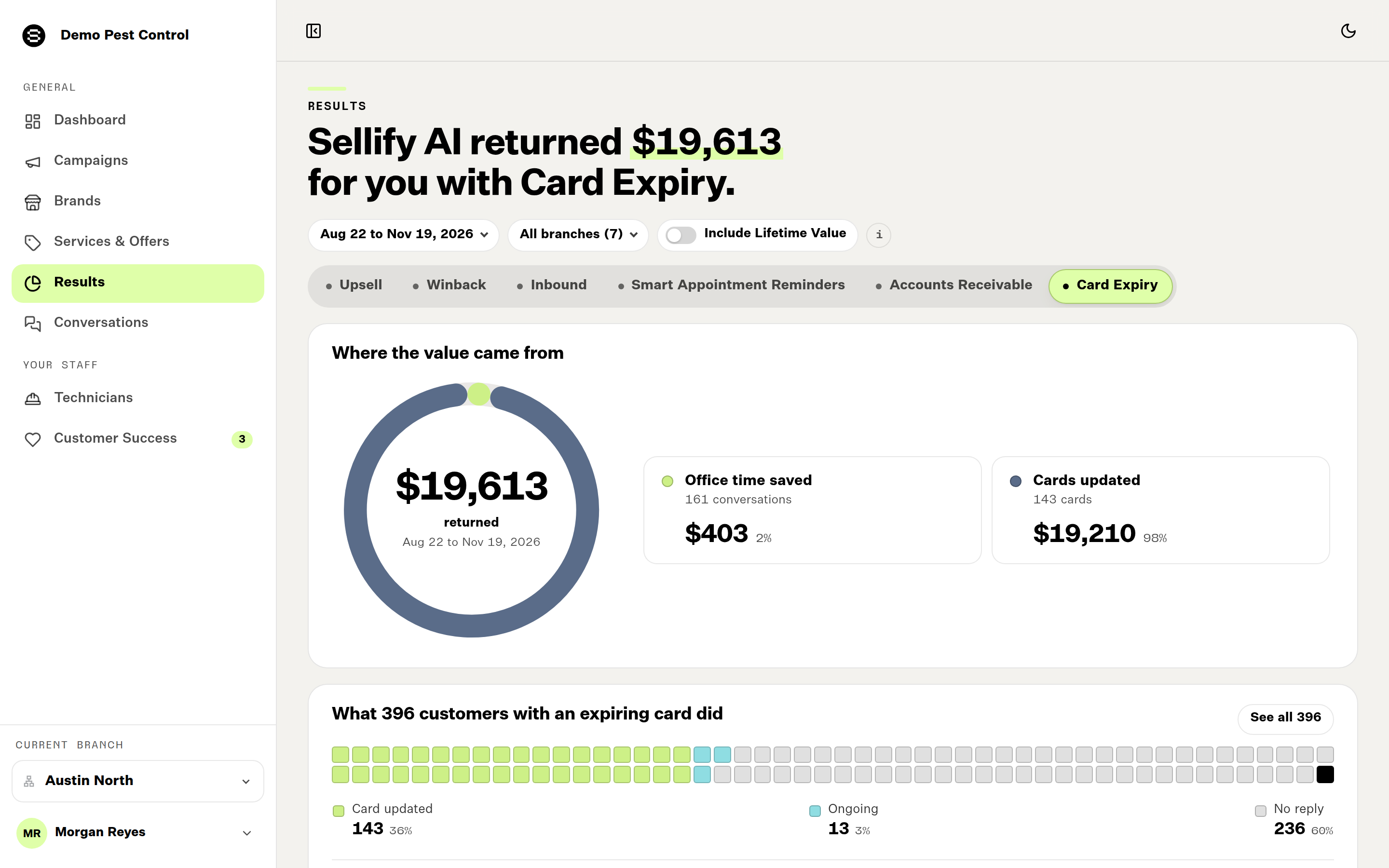
- Results: customers whose card was updated show as Card updated.
- Conversations: every Card Expiry conversation, which staff can read and take over.
What you control
- Turning it on: pick the Card Expiry goal in Campaigns.
- When texts go out: Service texts (Settings > Quiet hours): the hours and days these texts may go out. See Quiet hours, days off and follow-up limits.
What stays with your team
Customers who reply with a question about their bill, want to change their plan or ask for a person. Past-due balances that already exist are the job of Accounts Receivable.
Size the risk with your own numbers
Example: one month of expiring cards at Demo Pest Control
Example data. Every input except the 27% is an assumption for illustration.
| Line | Example: Demo Pest Control | Your numbers |
|---|---|---|
| What we assume | ||
| Autopay cards that expire this monthAssumption | 40 | |
| Share not updated by the customer before the chargeAssumption | 50% | |
| Share likely to cancel after an avoidable failed paymentPYMNTS Intelligence and FlexPay (vendor-sponsored), 2023, subscription businesses, not pest control | 27% | |
| Yearly revenue from one recurring customerAssumption | $540 | |
| Working it out, row by row | ||
| 1Failed autopay charges40 × 50% = | 20 | |
| 2Customers likely to cancel20 × 27% = | 5.4 | |
| 3Yearly revenue at risk from one month of expiries5.4 × $540 = | $2,916 | |
The 27% comes from a survey of subscription customers, not pest control customers (PYMNTS Intelligence and FlexPay, vendor-sponsored, 2023). Autopay service plans work the same way: a charge fails for a reason the customer did not choose, and then the customer has to act. Put your own numbers in the right-hand column.
Related guides
- Expired cards: the quiet way autopay customers leave
- Collecting past-due balances without losing the customer
- How to keep recurring pest control customers
- Product update: Expiring credit cards
- Product page: Results
Questions
When do customers get the text?
Does Sellify AI ask for the card number by text?
Which CRMs does it work with?
How do I know a card was updated?
Do I need a campaign per branch?
Sellify AI does this texting and call answering for pest control companies. See how it works, or book a walkthrough. Already a client? Ask your account manager.
Sources
- PYMNTS: Avoidable failed payments cause 50% of subscription churn
- Sellify AI product documentation