What it does
You see how customers feel, and why, without reading every thread. It only covers what customers said in their Sellify AI conversations, and it sends nothing on its own. The tab shows:
- The trend: the share of happy customers over time.
- The mix: how many replies show a happy feeling, an unhappy one, or none.
- By customer type: Former customers, Current customers and New callers, side by side.
- Themes: what customers talk about, so you can see whether price, a missed visit or something else is behind the unhappy share.
A tour of the tab
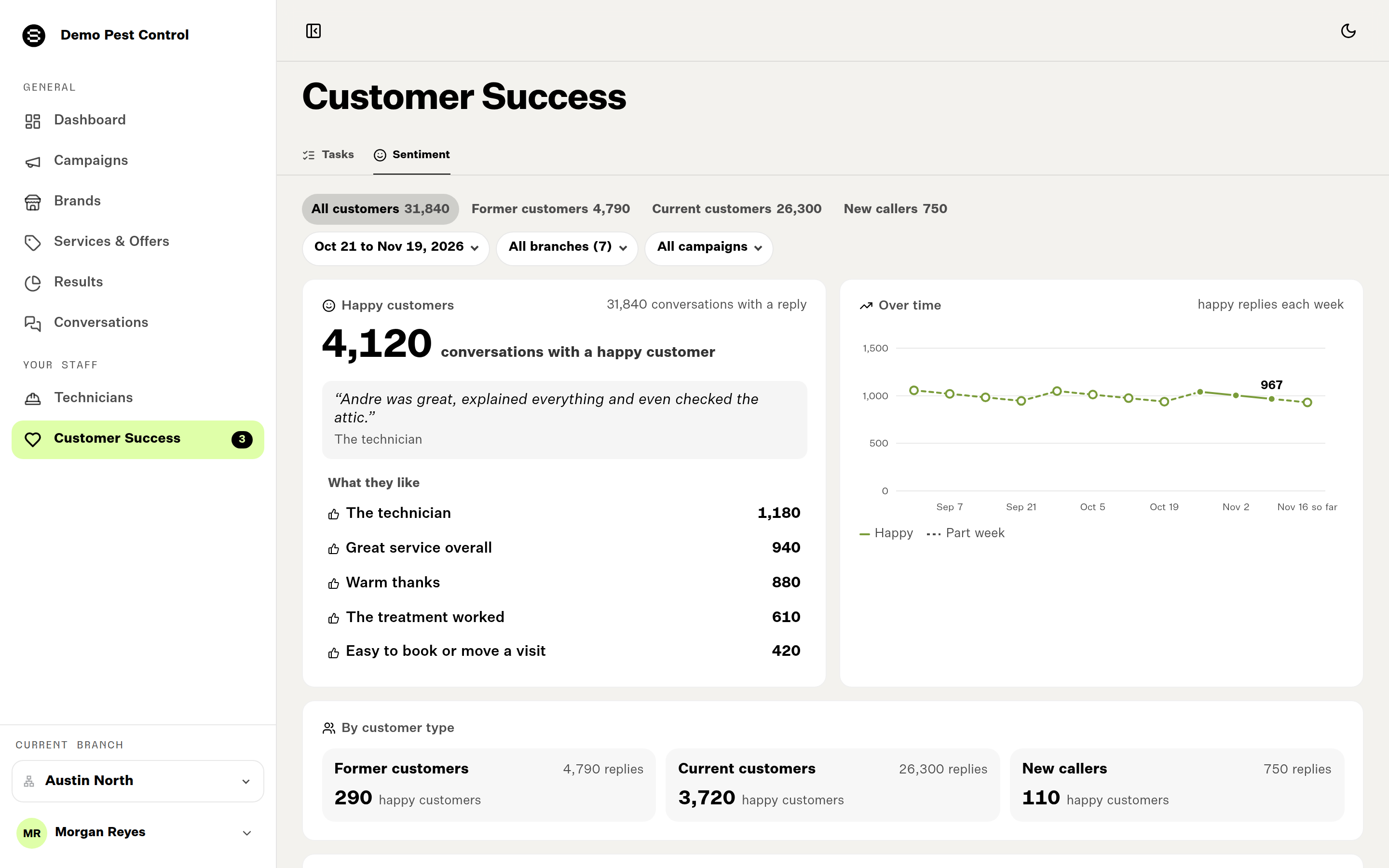
- 1Pick All, Former, Current or New callers, then the dates, branches and campaigns
- 2Happy customers and what they like, theme by theme
- 3Over time: happy replies each week
- 4By customer type: former, current and new callers side by side
What a reading looks like
The chart below is example data for a made-up company. It shows the shape of the "By customer type" view, not anyone's real customers.
Share of happy customers by customer type, example data, Demo Pest Control
Share, %| Item | Value | Source |
|---|---|---|
| Current customers | 58% | Example data, Demo Pest Control |
| New callers | 52% | Example data, Demo Pest Control |
| Former customers | 37% | Example data, Demo Pest Control |
In this example, former customers are the least happy, which is no surprise. The useful part is the theme list next to it. If the top theme for former customers at Demo Pest Control were price, the owner would know what a win back offer has to answer. If it were a job not done fully, the fix starts with the route, not the offer.
What the customer sees
Nothing new. Customers simply talk to your company by text or phone. Sentiment reads those conversations; it does not send anything.
What your office sees
Owners and office leads see the trend, the mix, the customer types and the themes. Each theme opens the conversations behind it, so a manager can read what customers actually said. When a customer needs a person, that need shows up separately in Customer Success Tasks.
What you control
The date range, the branches, the campaigns and the customer type you look at. Sentiment has no switches of its own: it reads the conversations from the use cases you already run.
What stays with your team
Sentiment tells you how customers feel. Deciding what to change, a price, a route, a technician's coaching, stays with you. Sellify is the one texting and talking on your behalf, so some of what customers feel is about the service itself, not the message.
Related
Owners
For pest control business owners: where the next customer comes from, who is about to leave, what each part of the business returns, and how to run branches.
How to keep recurring pest control customers
Recurring service is most of a pest control company's revenue. Six habits that keep customers on service, a 10 point retention scorecard and a weekly rhythm.
Customer Success Tasks: AI handoffs in one queue
When Sellify AI needs a person, it files a task: Urgent, Today or Can wait, with the reason, a summary and the customer's data, assigned to a person per branch.
Win Backs
Win Backs texts pest control quotes that never closed, leads that went quiet and customers who canceled, makes only the offer you allow and sends the agreement.
A customer wants to cancel: what to do in the next hour
What to do in the first hour after a pest control customer asks to cancel: find the real reason, answer it, confirm it in writing and log every cancel.
Results
Results shows the outcome of every Sellify AI use case: sales, kept and moved visits, balances paid, cards updated and calls booked, by date and by branch.
Questions
Where does the sentiment come from?
Can I see why customers are unhappy, not just how many?
What are the customer types?
Sellify AI does this texting and call answering for pest control companies. See how it works, or book a walkthrough. Already a client? Ask your account manager.
Sources
- Sellify AI product documentation