What it does
You choose who gets a message and what you are willing to offer. Sellify sends a friendly text from your company, answers replies inside the offer you set, and sends the agreement when someone says yes. Your office can read each thread and take over. It does not go beyond the offer you allow. Anything it cannot finish goes to your office as a task.
By hand and in Sellify
What the customer sees
A friendly text from your company, and replies to what they say. If they want to come back, the agreement and the visit are handled in the same thread. They can reply STOP at any time, and the opt-out is recorded in Customers and opt-outs.
What your office sees
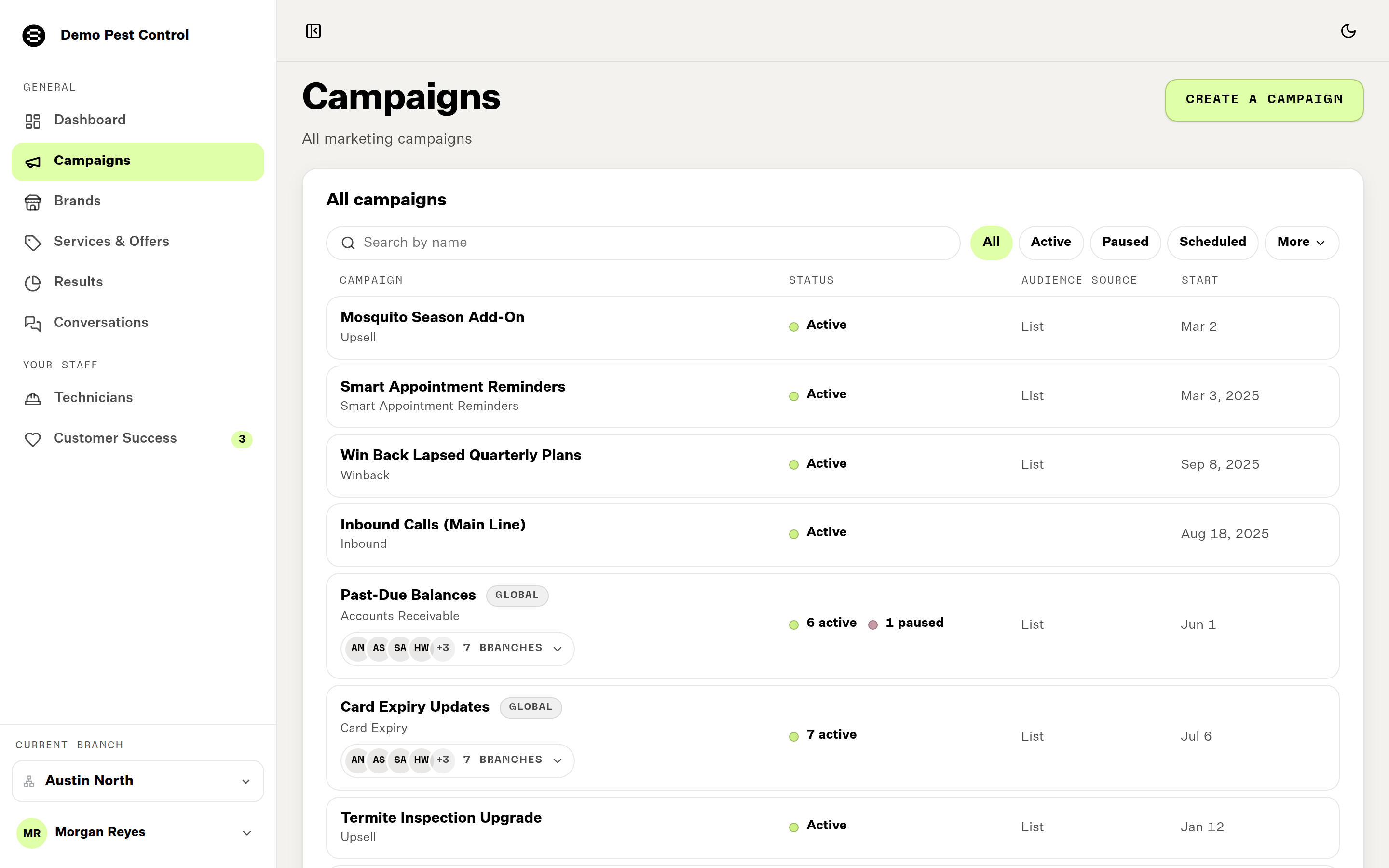
Results
Won back and the reasons people give, such as Price, Moved away and Bad past experience.
Conversations
Every win-back thread. Staff can take any of them over.
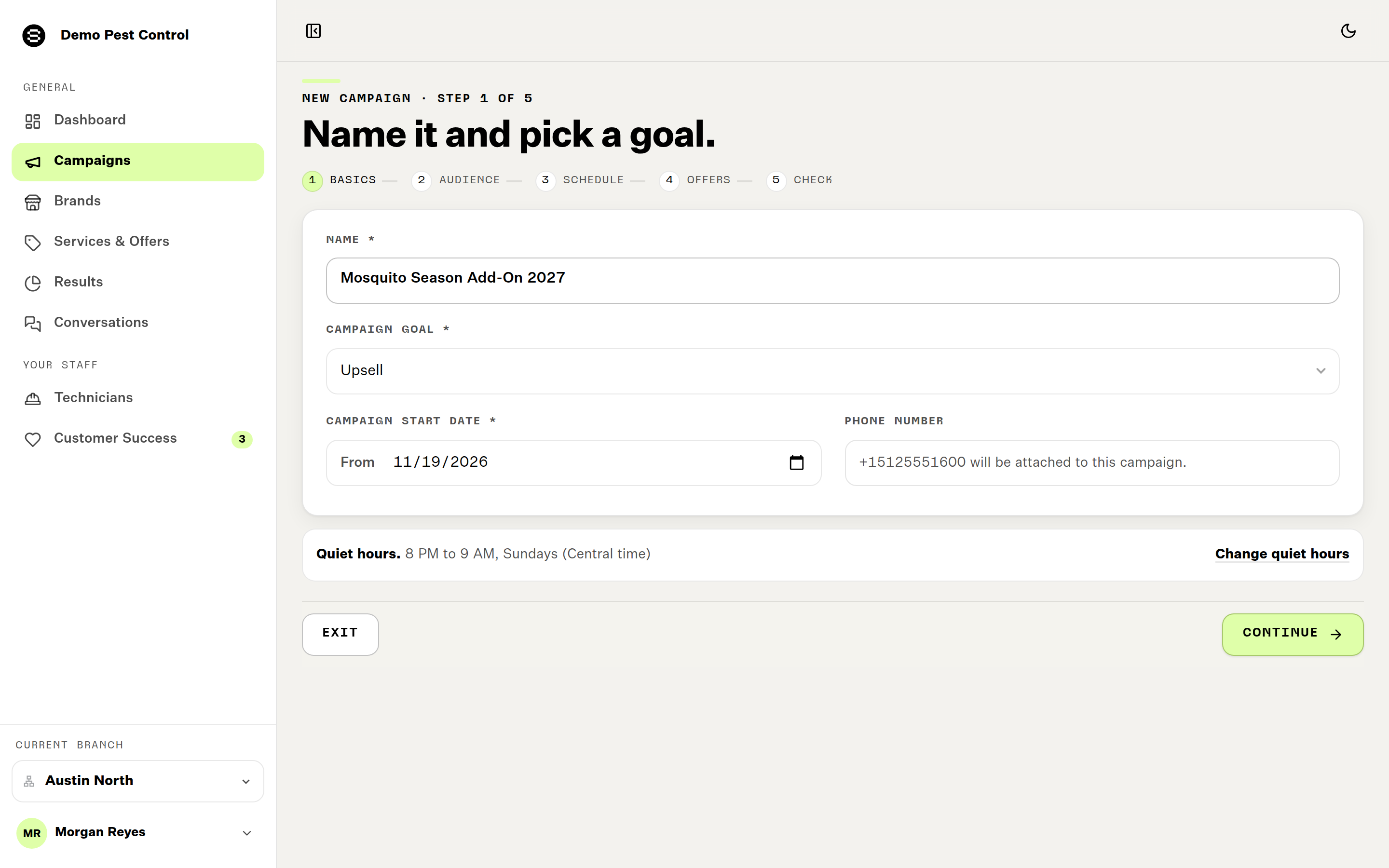
What you control
Who is in the campaign, its start date and phone number in Campaigns; the offer and discount you allow for past customers in Services & Offers; and the hours sales texts may go out in Quiet hours.
What good looks like
Aim to hear back from as many past customers and old quotes as you can, learn why each one left or did not buy, and win back the ones you can serve well at a price you are happy with. The reasons are worth as much as the wins: they tell you what to fix for current customers.
Numbers to watch in Results:
- Won back, by month and by branch.
- Reasons people give, such as Price, Moved away and Bad past experience.
- Handoffs to your office, and how fast they are worked.
- Opt-outs from each campaign.
What stays with your team
Any step Sellify AI cannot finish reaches your office as a task. Your team can also take over any thread. Closing a sale is covered on Contracts and closing in the thread.
Related
Pest control leads: from first call to first visit
Turn a new pest control caller into a first visit: answer the call, quote on first contact, follow up open quotes, revive old ones, then score how you do.
How to win back canceled pest control customers
A step-by-step way to win back canceled pest control customers: sort the cancel list, ask what went wrong first, make a fair offer and close it in one thread.
How to keep recurring pest control customers
Recurring service is most of a pest control company's revenue. Six habits that keep customers on service, a 10 point retention scorecard and a weekly rhythm.
Upsells and Cross Sells
Sellify AI offers mosquito, termite, rodent or lawn service to your current customers, answers price questions, sends the agreement and books the visit.
Sales and revenue
Pest control sales start in three places: a new caller, a quote nobody followed up, and a customer who could use a second service. Guides for each, in order.
Questions
Who does a win-back campaign reach?
Does Sellify AI lead with a discount?
Can a customer pay when they come back?
Where do I see why people left?
Will it text people at night?
Sellify AI does this texting and call answering for pest control companies. See how it works, or book a walkthrough. Already a client? Ask your account manager.
Sources
- Sellify AI product documentation