What it does
You keep each brand's name, promises and rescheduling rules apart while running them from one account. It does not decide what a brand may promise: you write that down per use case.
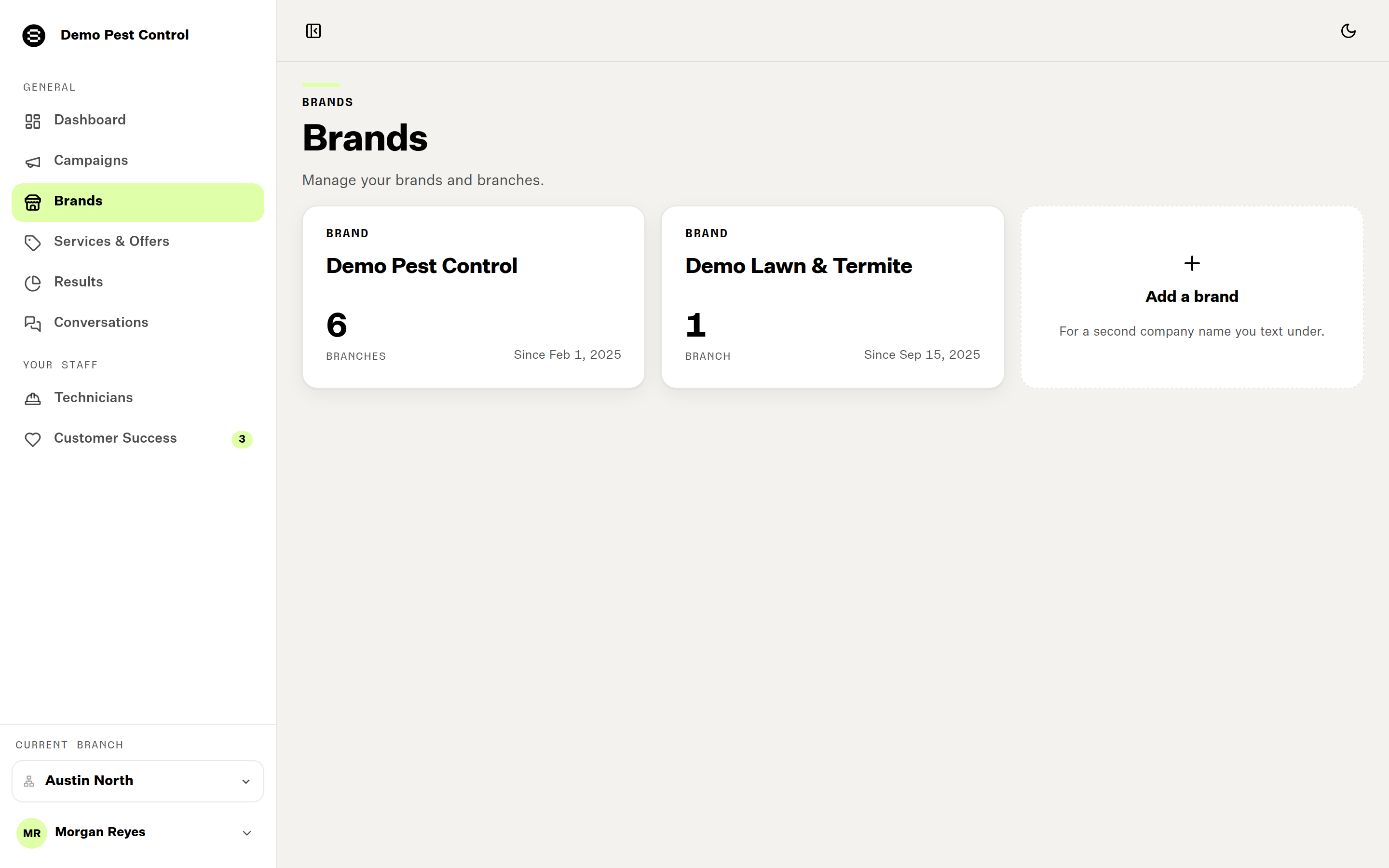
- Brands lists your brands. A brand holds its branches.
- Branches shows each branch with the use cases it runs.
- Settings are set per brand and apply to every branch of that brand.
A tour of the screens
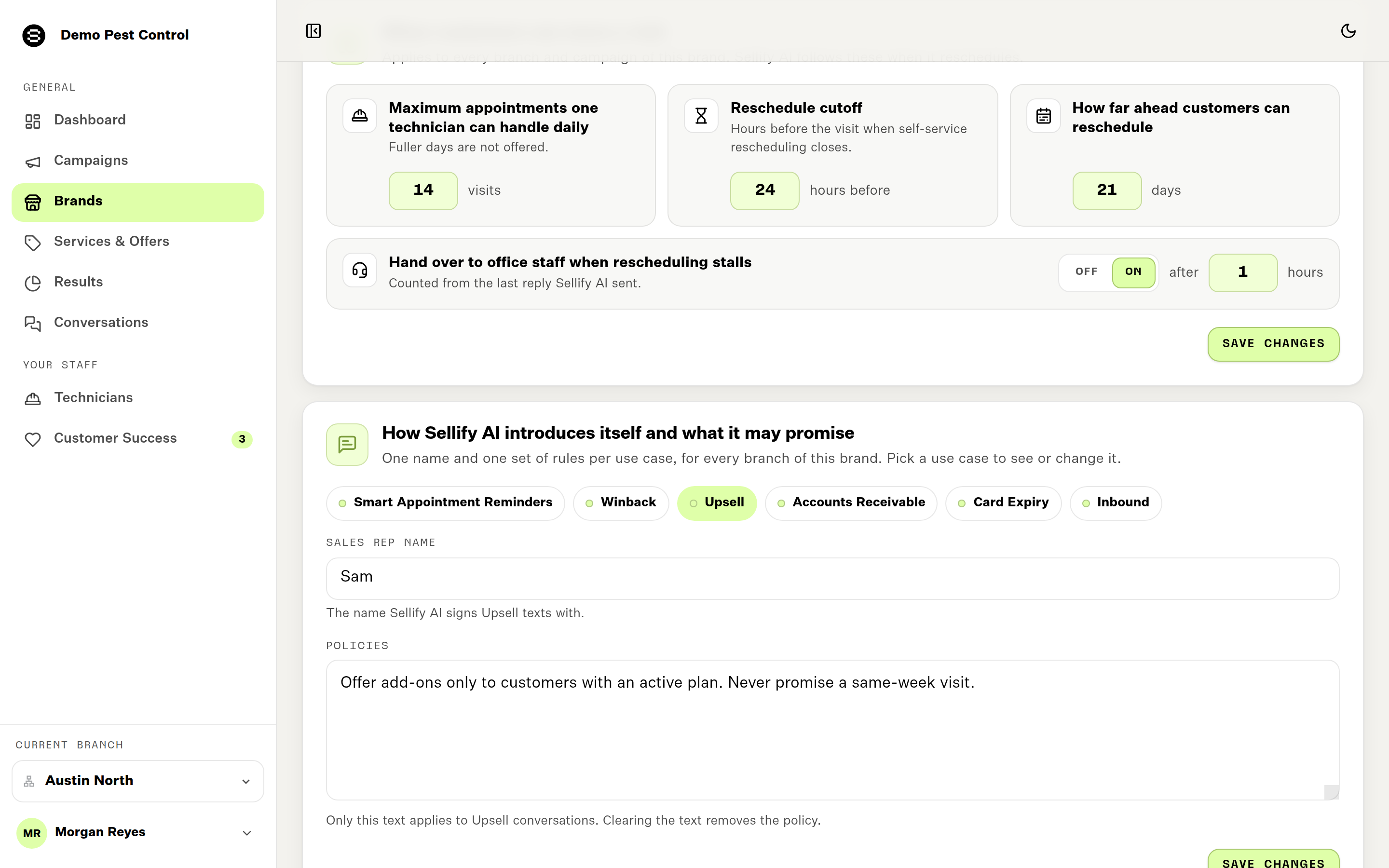
- 1The limits for moving a visit, set per brand.
- 2How Sellify AI introduces itself and what it may promise, per use case.
- 3The sales rep name and the policies for the use case you picked.
What you control
On each brand, you choose how Sellify AI introduces itself, what it may promise, and the limits for moving visits. On each branch, you set its name, its customer support phone and the brand it belongs to.
What good looks like
Aim for every customer to hear one consistent voice and one set of promises from the brand they signed with, and for every branch to have a support phone that someone answers. Mixed promises across brands turn into callbacks for the office.
Numbers to watch:
- Sales and saves by branch in Results, so a weak branch shows early.
- Reschedules handed to the office, by branch.
- Open handoffs per branch in Customer Success Tasks.
What the customer sees
The brand they know. Texts and calls use the rep name and support phone you set for that brand and branch, and the AI only promises what you allowed.
What your office sees
The brand list, the branch list with the use cases each branch runs, and the brand settings. To compare branches, filter Results by branch. Handoffs in Customer Success Tasks are assigned per branch, and every thread is in Conversations.
What stays with your team
Deciding what each brand may promise, and the exceptions. Anything outside the rules you set goes to a person. Who can change these settings is part of Team and Roles.
Related
Owners
For pest control business owners: where the next customer comes from, who is about to leave, what each part of the business returns, and how to run branches.
Pest control software: a small business buyer's checklist
What pest control software a small business needs, what to ask before you buy, and when to add a tool on top of your CRM. A scorecard and four demo myths.
Quiet hours and days off
Set when customers hear from you: separate hours for sales and service texts, office hours for call transfers, holidays and the days your office is closed.
Campaigns
Pick a goal, an audience from your CRM, a start date and a phone number, then approve. See every campaign's conversations and results, and pause with a reason.
Smart Reminders
Smart Reminders texts customers before scheduled visits. They confirm, reschedule or leave gate and pet notes for the tech, and problems go to your office.
Questions
Can one account run two brands?
Do brand settings apply to every branch?
How do branches relate to my CRM?
Can the AI rep have a different name per use case?
Sellify AI does this texting and call answering for pest control companies. See how it works, or book a walkthrough. Already a client? Ask your account manager.
Sources
- Sellify AI product documentation