What it does
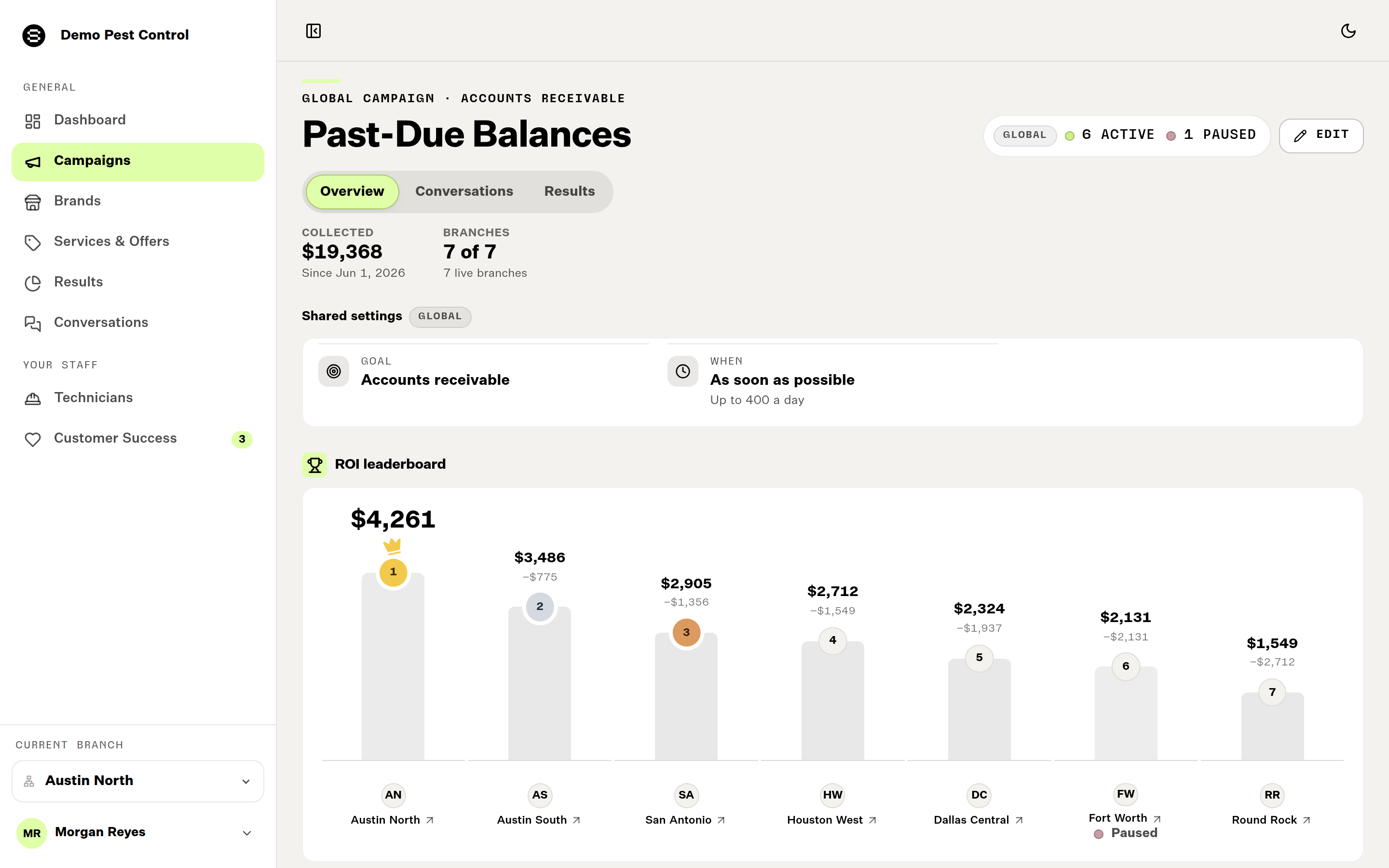
You see each campaign in one list and decide which goal runs, for whom, from which number and from when. Since 23 November, each goal can run as one global campaign for your whole organization, covering the branches you pick (a Winback campaign from an uploaded customer list stays per branch); a branch keeps its own settings or main offer only where it differs. You can read the conversations a campaign has, see its results, and pause it, or one branch of it, when you need to. Nothing starts until you approve it.
Where things are
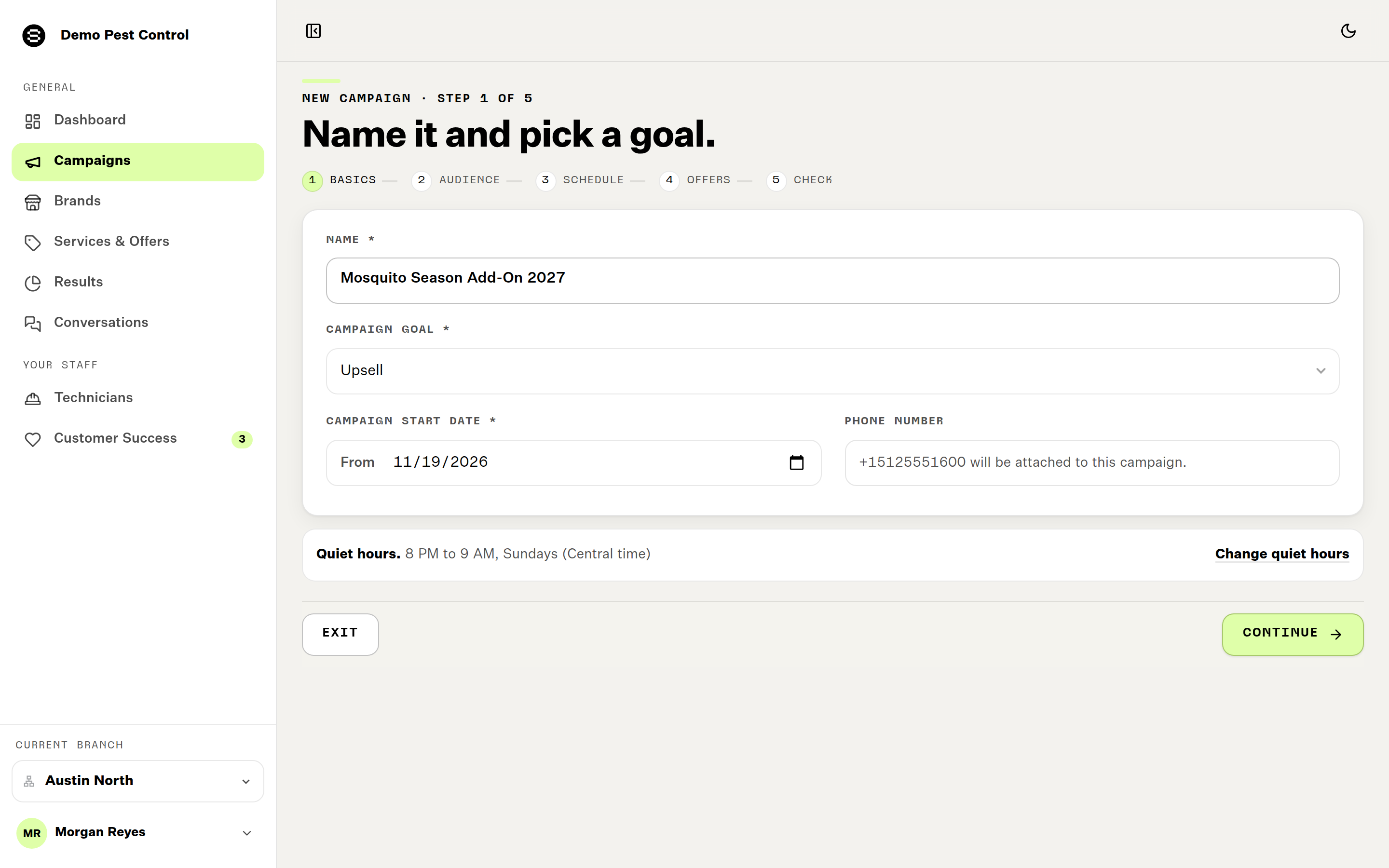
- 1Name: what you call the campaign.
- 2Campaign goal, here Upsell.
- 3Campaign start date.
- 4Phone number: the number attached to this campaign.
- Campaigns list. Every campaign with its goal and status.
- Create. Choose the Campaign goal, the audience from your CRM, the Campaign Start date and the Phone Number. For sales goals you pick offers from Services & Offers. Then you review and approve.
- One campaign. Overview, Conversations and Results tabs. Pausing asks for a reason, so the history stays clear.
The goals
- Upsell: add-on services for current customers, one campaign per service. See Upsells and Cross Sells.
- Winback: canceled customers, old quotes and lost leads, one campaign per service; a campaign from a customer list you upload stays per branch. See Win Backs.
- Inbound: calls answered by Sellify AI. See Inbound Voice.
- Smart Appointment Reminders: a two-way text before scheduled visits. See Smart Reminders.
- Accounts Receivable: past-due balances, as one campaign for your whole organization, covering the branches you add. See Accounts Receivable.
- Card Expiry: autopay cards that expire this month or already expired, as one campaign for your whole organization, covering the branches you add. See Expiring Credit Cards.
Which goal to start with
Open the answer that fits. Each path ends in one action.
What costs you the most right now?
Visits missed, moved at the door or canceled
Do thisStart with Smart Appointment Reminders.
New callers nobody picks up
Do thisStart with Inbound.
Money owed or cards failing
Is the money already late, or about to be?
Already past due
Do thisStart with Accounts Receivable.
Autopay cards about to expire
Do thisStart with Card Expiry.
Not enough new revenue
Who do you want to sell to?
Customers on service today
Do thisStart an Upsell campaign.
Quotes that never closed, lost leads or customers who left
Do thisStart a Winback campaign.
What the customer sees
Nothing of the campaign itself. They see a text or a call from your company, from the number you chose, under the rep name you set for your brand.
What your office sees
The campaign list, each campaign's page, and every thread in Conversations. Outcomes per campaign are also in Results.
What you control
- Campaign goal, Campaign Start date and Phone Number.
- The audience, and for sales goals, the offers.
- When a campaign runs and when it stops.
What stays with your team
Which campaigns run, and when. Sellify AI works inside the campaign you approve.
Related
Pest control software: a small business buyer's checklist
What pest control software a small business needs, what to ask before you buy, and when to add a tool on top of your CRM. A scorecard and four demo myths.
Pest control leads: from first call to first visit
Turn a new pest control caller into a first visit: answer the call, quote on first contact, follow up open quotes, revive old ones, then score how you do.
How to get more pest control customers: fix four leaks first
Pick up the phone, follow up open quotes, ask past customers back and earn reviews: a ten-point audit to get more pest control customers from leads you have.
Owners
For pest control business owners: where the next customer comes from, who is about to leave, what each part of the business returns, and how to run branches.
Questions
Which campaign goals can I choose?
What is a global campaign?
Where does the audience come from?
Can I stop a campaign?
Can I see what a campaign is saying to customers?
Sellify AI does this texting and call answering for pest control companies. See how it works, or book a walkthrough. Already a client? Ask your account manager.
Sources
- Sellify AI product documentation