A caller with a bug problem today rarely waits for a call back. One call-tracking vendor found that 27% of calls to home services businesses go unanswered, and fewer than 3% of callers sent to voicemail leave a message (Invoca, vendor, 2024). That data covers home services, not pest control alone. Part of the Sales hub; phone coverage in general is on the Calls hub.
What it does
Your new callers get an answer when nobody in the office can pick up, and your current customers get help with a visit or a person from your team. Inbound Voice looks up the caller, checks the address against your service area, quotes the services you open to callers, sends the agreement, books the visit and writes notes to your CRM. During the hours you set, it transfers callers to your office; outside them, it takes a message.
The path of one call
Example: one after-hours call to Demo Pest Control
Example data. The caller, times and service are invented.
- 7:42 PM
A new caller rings
CustomerA homeowner calls Demo Pest Control about ants in the kitchen. The office closed at 5.
- 7:42 PM
Answered with the company name
Sellify AISellify AI answers with Demo Pest Control's name and asks what is going on. Asked whether it is a person, it says plainly that it is AI.
- 7:44 PM
Caller and area checked
Sellify AIIt looks the caller up in the CRM and checks the address is inside Demo Pest Control's service area before promising a visit.
- 7:47 PM
Quoted and agreed
Sellify AIIt explains the service the company offers to callers, gives the price, and sends the agreement by text.
- 7:52 PM
Booked and noted
Sellify AIThe visit is booked and notes are written to the CRM. In the morning, the call shows as New customer signed up in Results.
What the caller hears
- An answer on your company's number, and a plain yes when they ask whether it is AI.
- Questions about the problem, then a quote for the services you offer to callers.
- An agreement link by text, and a booked visit.
- Follow-up texts after the call only when they said yes to them.
- For a current customer moving house: a coverage check of the new address and a new account linked to the one on file, where your CRM supports it.
- A transfer to your office during your call hours, or an offer to take a message.
What your office sees
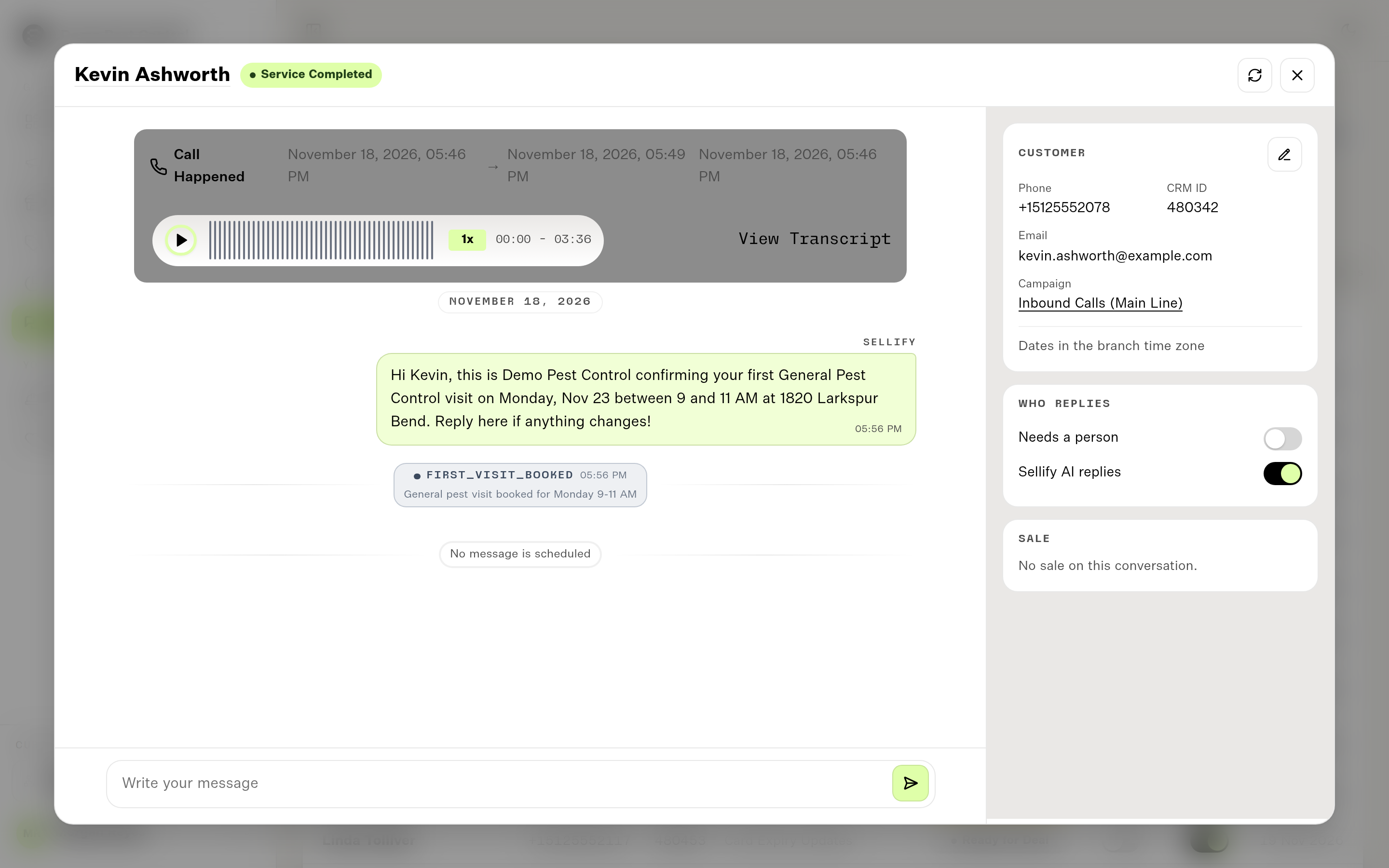
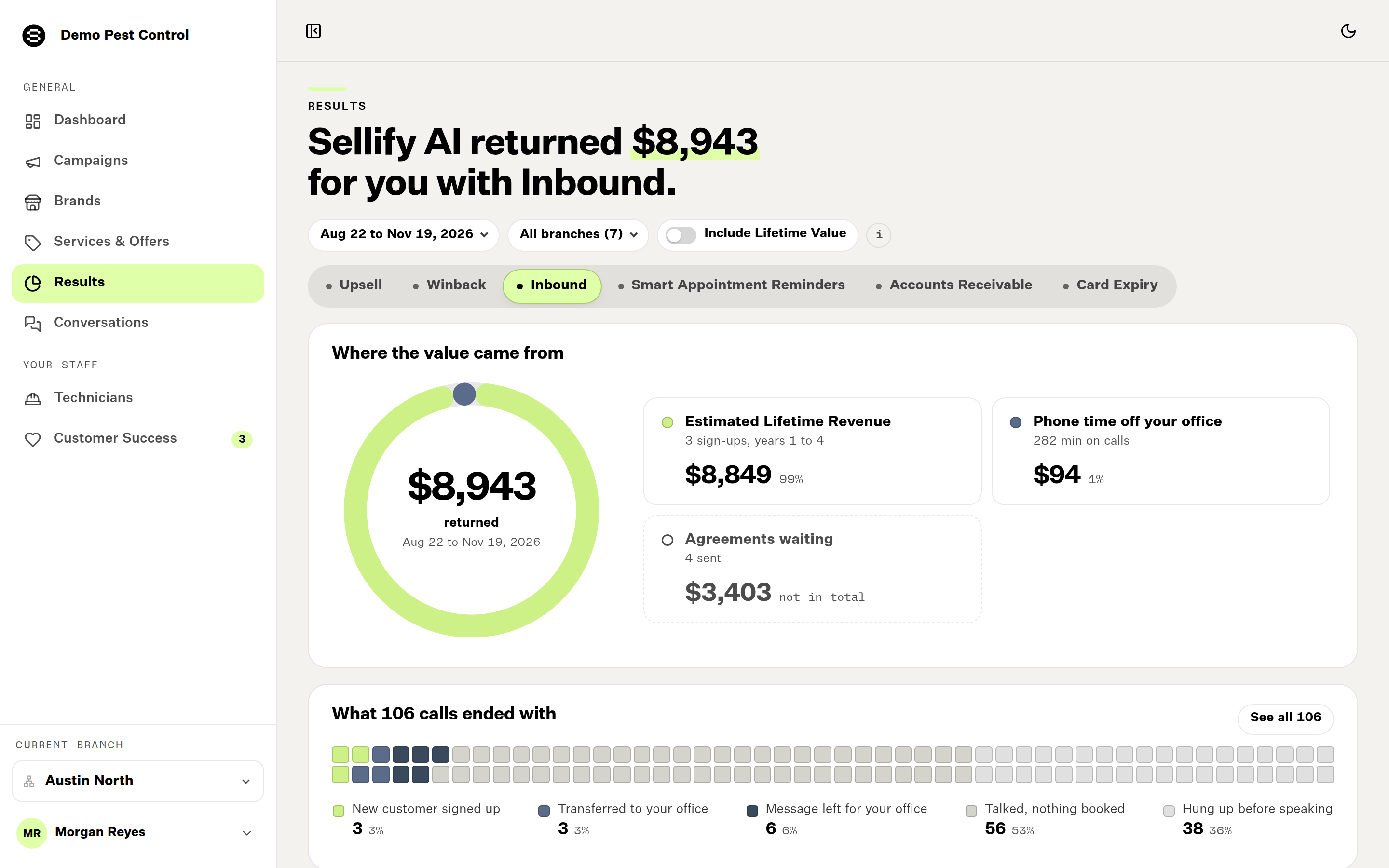
- Results: each call's outcome, such as New customer signed up, Transferred to your office or Message left for your office.
- Conversations: call conversations next to your text conversations, with the recording, the transcript and any text that followed.
- Dashboard: Inbound calls as one of the use cases in your value view.
What good looks like
Aim for every new caller to reach an answer and leave with either a booked first visit or a clear next step, and for every current customer to get help or a person from your office. That matters because a caller with a bug problem today rarely waits for a call back.
Numbers to watch each month in Results and on the Dashboard:
- Calls that ended with New customer signed up, against all new-caller calls.
- Calls transferred to your office, and how many of those your team picked up.
- Messages left for your office, and how many got a call back the same morning.
- Callers who hung up before speaking, by hour of the day.
What you control
You choose the hours calls can reach a person in your office, the support number transfers go to for each branch, which services and offers are open to callers in Services & Offers, and how each brand presents itself in Brands and branches. The Inbound goal sits in Campaigns.
What stays with your team
Calls transferred to your office during the hours you set, and the messages callers leave outside them.
Related guides
- Pest control leads: from first call to first visit
- AI receptionist and answering service for pest control
- How to get more pest control customers: fix four leaks first
- Product pages: Conversations, Results, Quiet hours, days off and follow-up limits
Questions
Does the caller know they are talking to AI?
When does a call go to a person?
Can it book a new customer on the call?
Where do I hear or read the calls?
Which services can it sell on a call?
Sellify AI does this texting and call answering for pest control companies. See how it works, or book a walkthrough. Already a client? Ask your account manager.
Sources
- Invoca (vendor): How much missed sales calls cost home services businesses
- Sellify AI product documentation